Features
From a link to a game you can play.
Every step checked. Every result recorded. Nothing pretended.
01 · Browse
Browse Games
Three hundred and more projects merged from portsdr.com, Alexbeav's PS1 recomps, and hand-found repositories - deduplicated by repository, so the same project never shows twice while different people's ports of the same game all stay listed. Grouped by console with a colour stripe per family, real box art, version and Latest / Pre-release status, last update, and which platforms each builds for.
- Search, filter by console, status, source, or what runs on your machine
- New This Week shelf and a wishlist star with "now Latest" nudges
- Click any game for its README, screenshots and release notes - sanitised, nothing runs
- GitLab-hosted projects install too
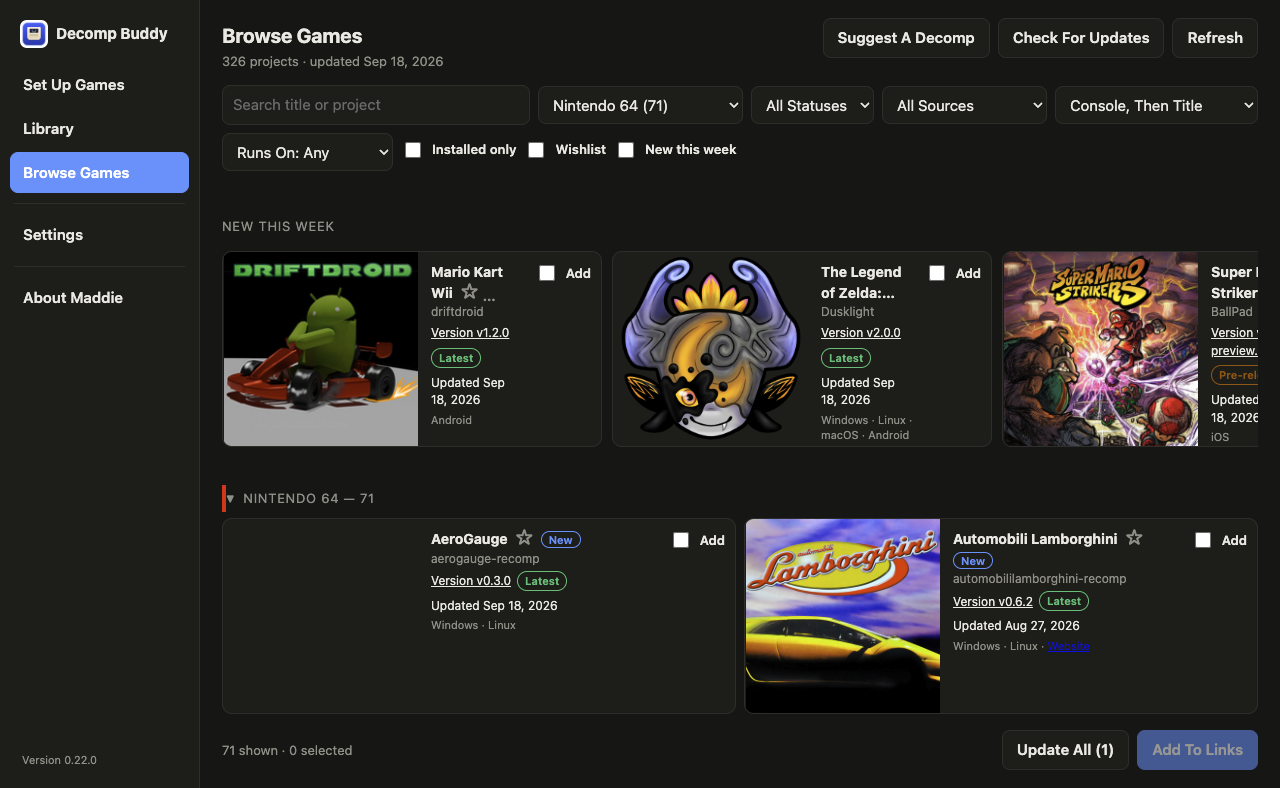
BROWSE · NINTENDO 64 · BOX ART FROM LIBRETRO
02 · Set Up
Set Up Games
Paste links or add them from Browse. Your AI reads each repository - README, build docs, every release - and returns a precise plan: which build to download for the platform you're targeting, which game files you must supply, the exact folder each goes in, first-run steps, and known gotchas. A repo that ships several games (Spider-Man and Spider-Man 2, or a 16-game Xbox 360 collection) gets a folder per game.
- Choose a file, or a whole archive - zip, 7z, rar, tar.gz - and the game file inside is found
- .cue picks bring their .bin tracks along; multi-disc games get a row per disc
- Wrong format? N64 byte order, CISO and GCZ convert on the fly; RVZ and CHD via DolphinTool / chdman when installed
- BIOS vault: verify a system file once, it's filled in automatically ever after
- Skip a game you can't find the dump for; come back later
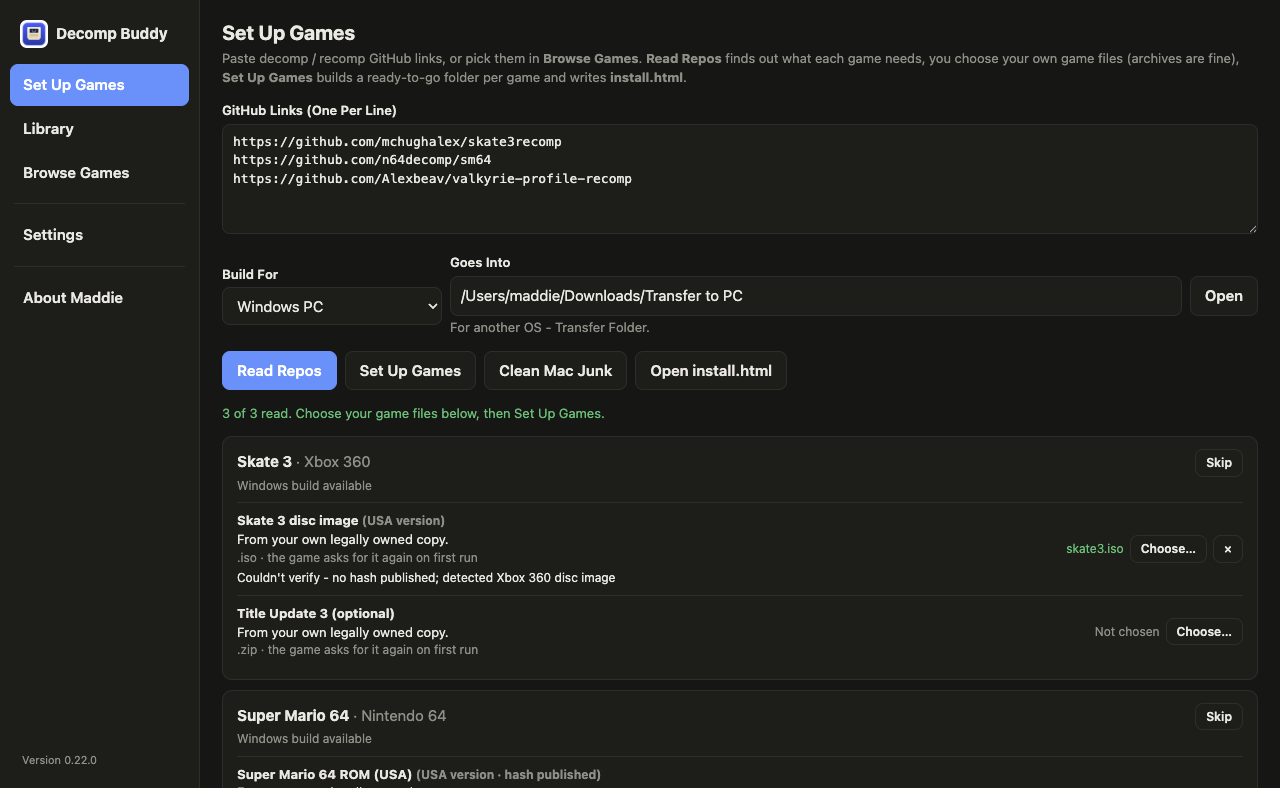
SET UP · THREE REPOS READ · FILES CHOSEN
03 · Verify
Verification
The moment you pick a file it's checked against what the project asks for. If the repo publishes a hash it's compared byte for byte. N64, GBA, DS, GameCube, Wii and PlayStation dumps have their headers read for title, game code, region and version - so "you picked the Japanese one" shows instantly without hashing 8 GB. PlayStation discs are matched by serial. BIOS files are checked against DuckStation's and mGBA's own tables.
- Hashes come only from the repo's docs - the AI is told never to invent one
- Mismatches warn and are recorded; they never silently pass and never block you
- Every release download is verified against GitHub's per-asset checksum
- Free space is checked before a single byte downloads
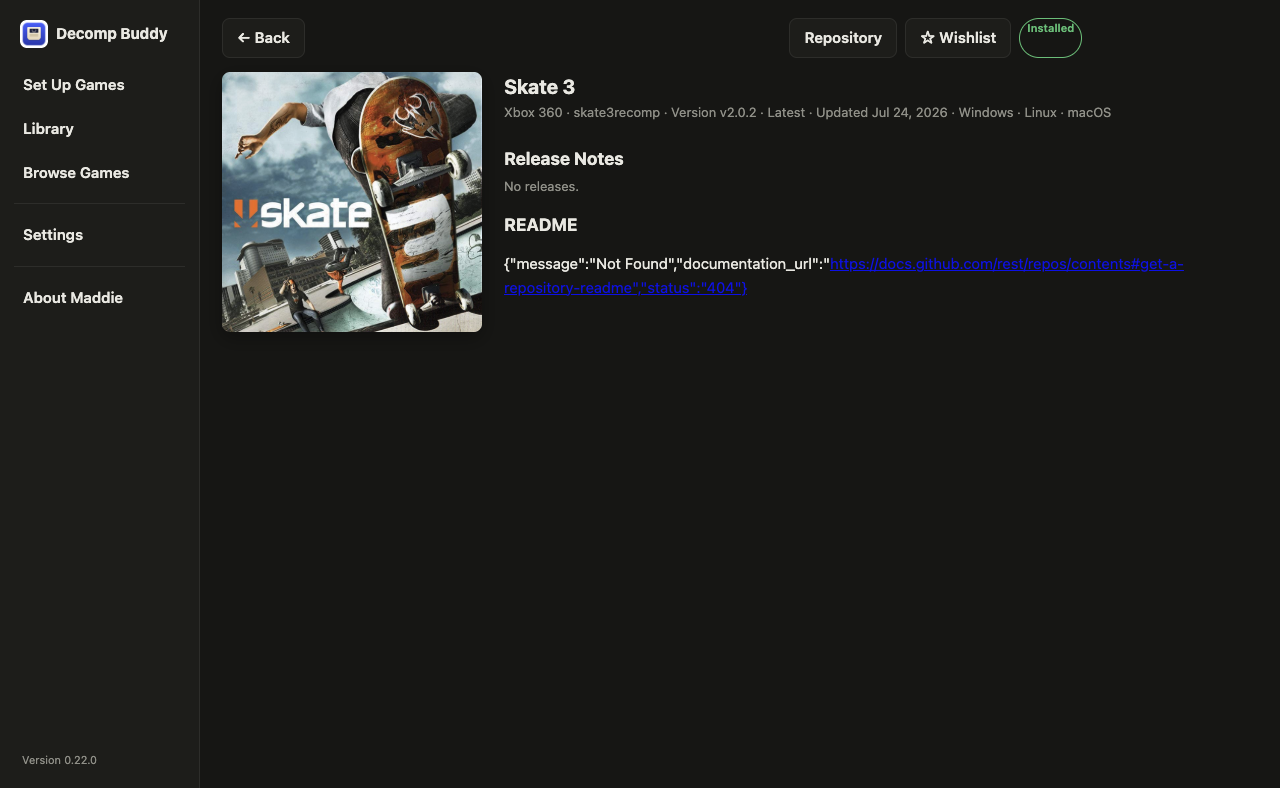
DETAIL · README, SCREENSHOTS, RELEASE NOTES
04 · Library
Library
A bookshelf of everything you've set up, with box art. Play it right there if it was built for this computer. Install To Steam writes a proper non-Steam shortcut with grid, portrait and hero art. Update All re-reads every game that's behind and sets it up again with your files carried over. Build Here compiles source-only projects on a Mac or Linux box with a live log.
- Mods and texture packs, installed the way each project's docs describe
- Send To Another Computer: stream a game to your gaming PC over the LAN with a one-time code
- Folder icons: real Finder icons on the Mac, desktop.ini + .ico for Windows
- Wishlist and Recently Played shelves
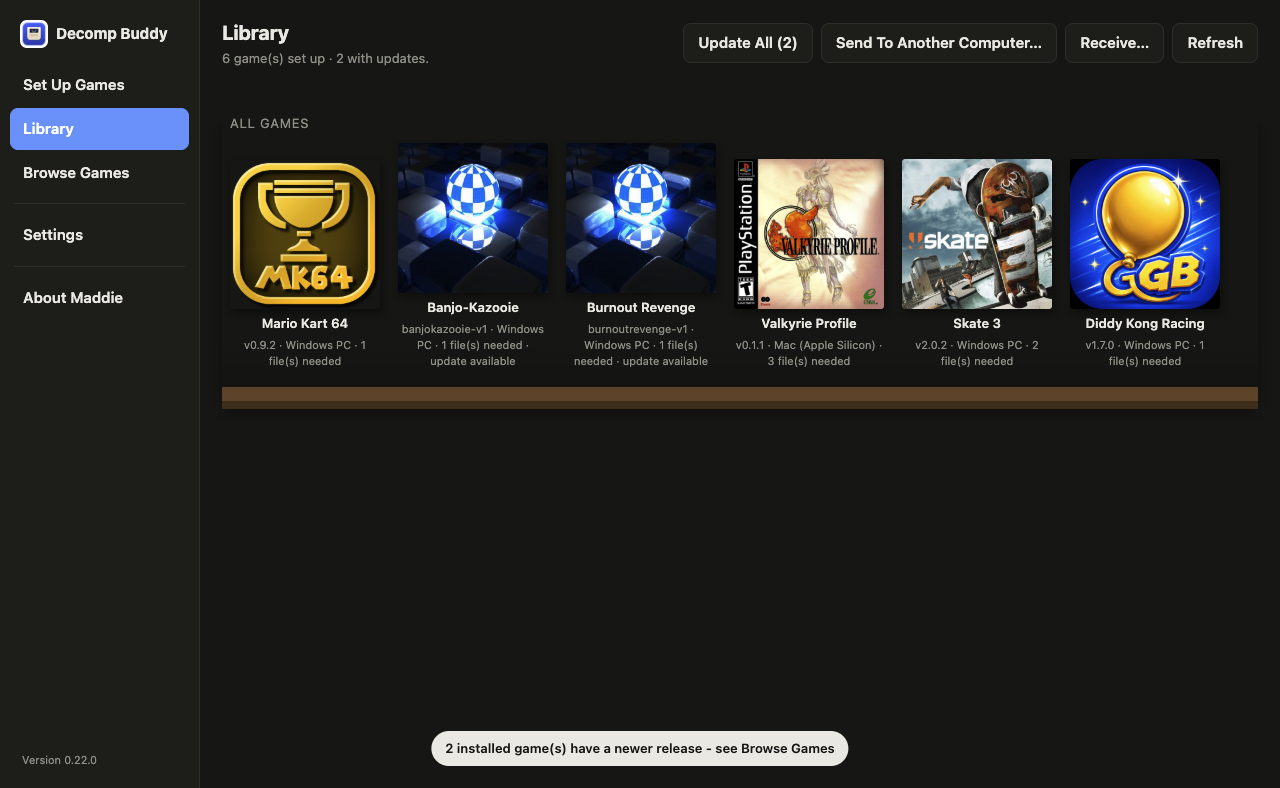
LIBRARY · PLAY · STEAM · UPDATE ALL
05 · Results
Results and the checklist
When a batch finishes you get a results screen - set up in green, failed in red with the reason, skipped in white - and an install.html in the output folder that lists every game ever set up, exactly where each file goes, what's verified and what's still needed. Printable.
- Games built for another OS land in a Transfer folder ready to copy - Mac junk swept, Windows folder icons included
- The app updates itself from a signed feed; games get a daily check for new releases
- Bring your own key: Claude, OpenAI, Gemini, Groq, OpenRouter, DeepSeek, xAI, Mistral, Ollama, or any OpenAI-compatible URL
- Light or dark, keyboard-first, every control labelled for screen readers
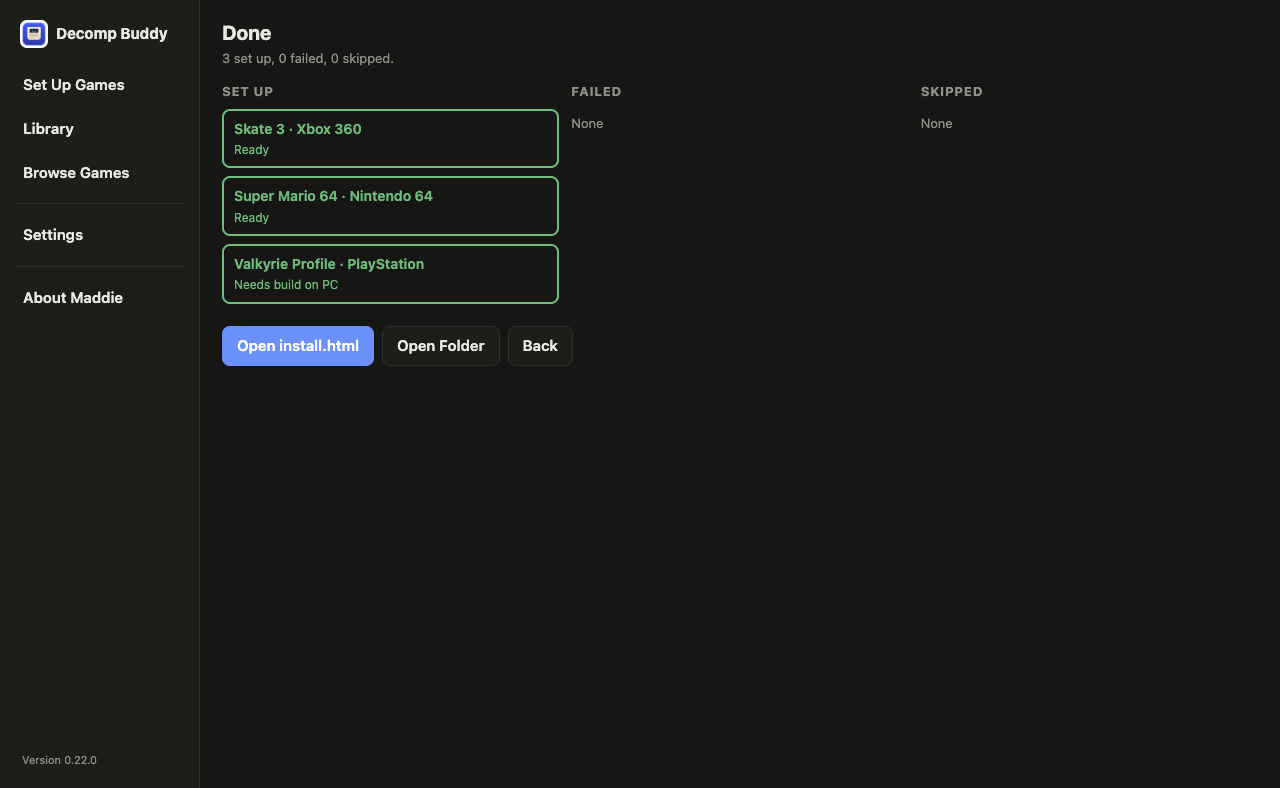
RESULTS · SET UP · FAILED · SKIPPED