Free for Mac, Windows and Linux
Play the classics
as real PC games.
Super Mario 64, Zelda, Sonic, GoldenEye and the rest of 3465 console games, as fan-made versions that run natively on your computer, no emulator. Decomp Buddy finds the right one, sets it up with your own copy of the game, and keeps it up to date.
You bring your own games. Decomp Buddy never downloads a ROM or disc image - it checks the one you already have is the one the project needs.
What we're trying to do
No setup instructions to read.
Every one of these projects installs differently, and most people give up halfway through the instructions. Decomp Buddy has already read them for you.
Everything worth playing
Every fan-made PC version we can find, checked so only games you can actually play are listed. New ones are added every day.
AI reads the instructions
Generative AI reads each game's GitHub page - README, docs, every release - and turns it into an exact plan: the right download for your computer, the game file it needs, where it goes. Done ahead of time for every game in the catalog.
Or paste any GitHub link
Found a project that isn't listed yet? Paste its link. With your own AI key (Claude, any OpenAI-compatible service, or a free local model) it's read and set up the same way.
Kept up to date for you
Once a game is installed, Decomp Buddy watches for new releases. One click on Update - or Update All - installs the new version with your game files carried over and your saves backed up first.
How it works
Three steps. The boring parts are ours.
Pick games
Browse by console, see what's new this week, or let Games You May Like suggest more from what you already play. Press Add.
Choose your file
Point it at your own copy - an ISO, a ROM, a .cue, even a zip or 7z. It's identified, checked against what the project asks for, converted if needed, and put in the right place.
Play
Press Play in Installed Games, add it to Steam, or send it to your gaming PC over your home network. Updates come to you.
A look inside
Built like a cartridge. Works like a launcher.
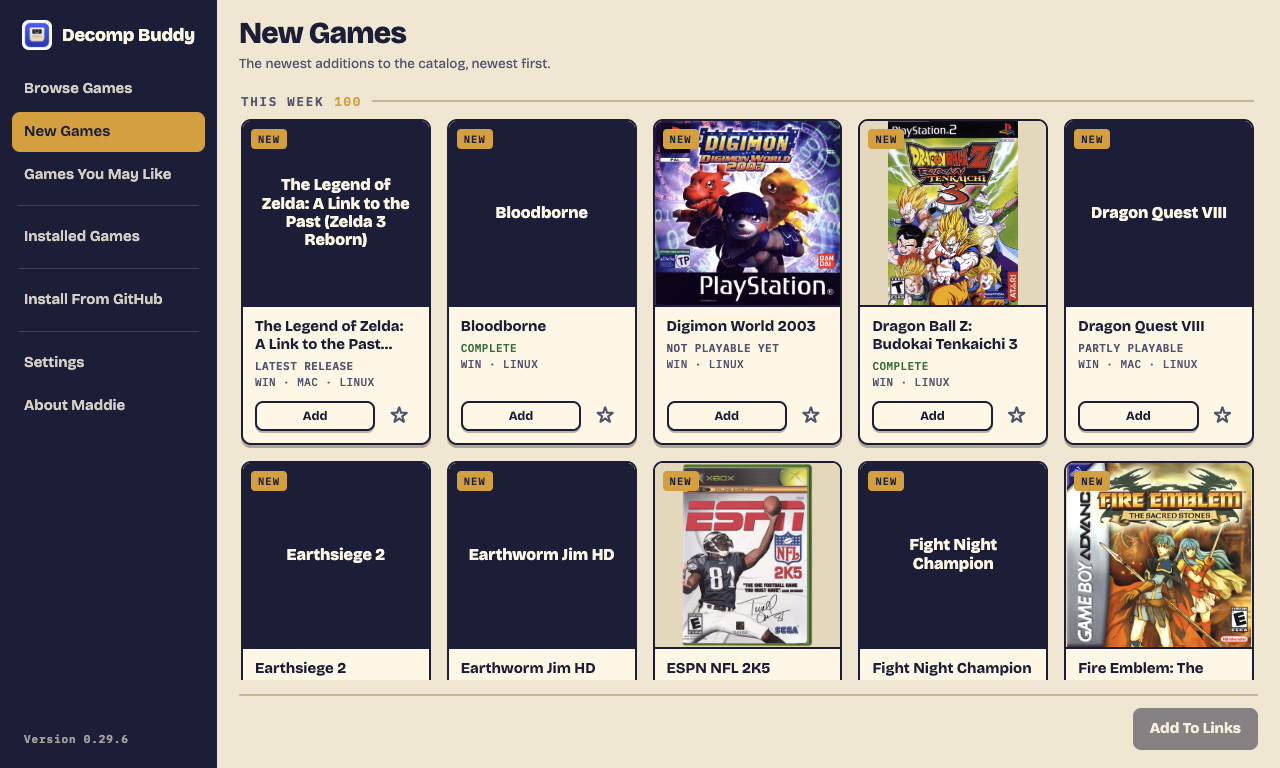
New Games
The newest additions to the catalog, grouped by week, so you see what the scene shipped while you were away.
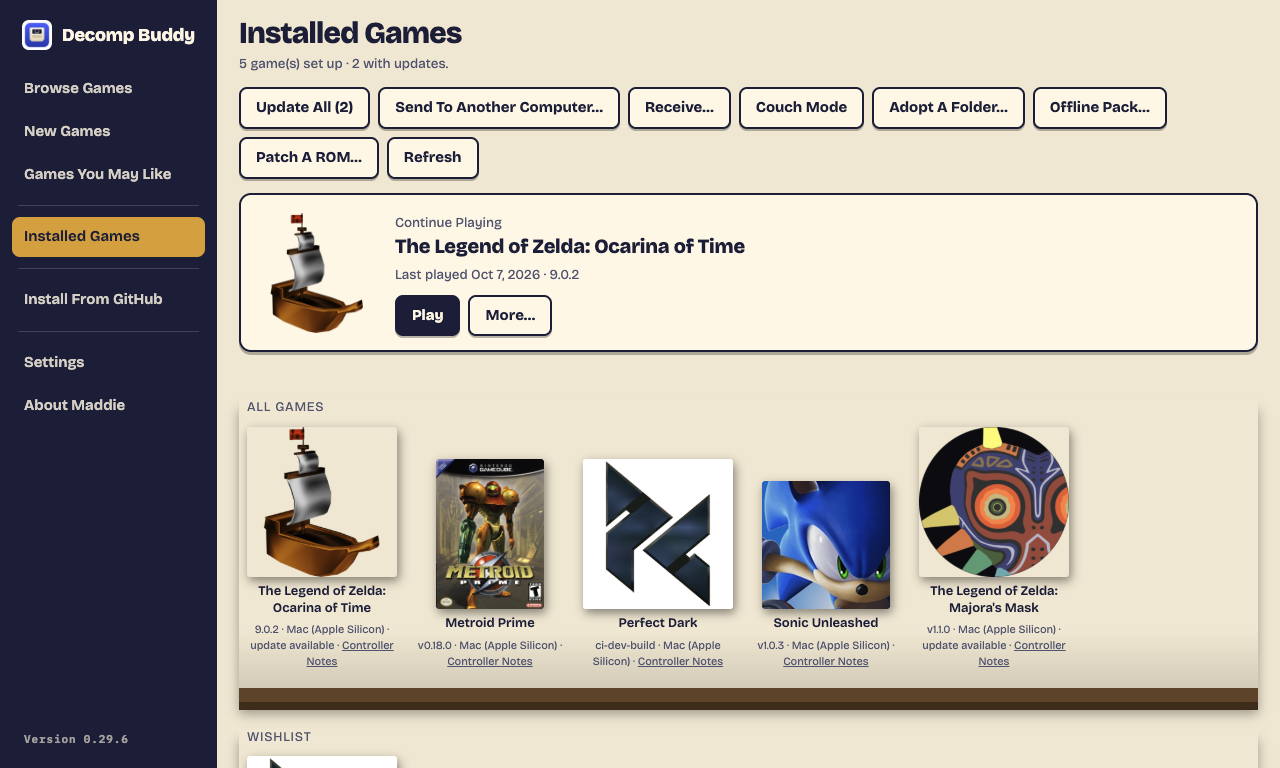
Installed Games
Continue where you left off, see which games have an update waiting, and play, update, back up saves or add to Steam from one shelf.
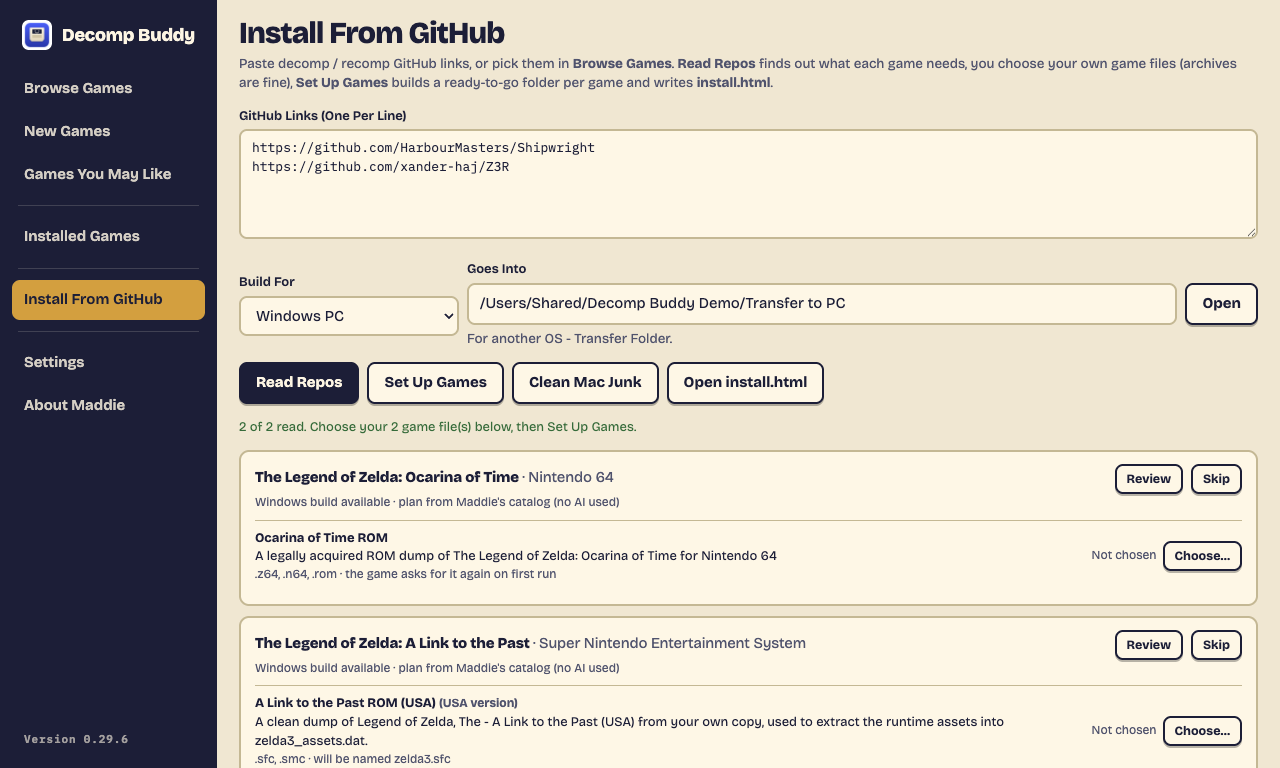
Install From GitHub
Paste links and press Read Repos. Games from the catalog use their published plan - no AI needed - and tell you exactly which file of yours to choose.
Honest by design
No fake green ticks.
Verification you can trust
Checksums are copied from the project's own docs, never invented. Console headers are read for region and version. Mismatches warn; nothing gets a fake pass.
Nothing about you leaves your computer
No account, no ads, no tracking. If you say yes, the app adds "+1" to a game's count when you set it up - just the game, nothing about you. Player reports and usage stats are only sent when you choose to, with no name and no ID. Your own AI key, if you add one, is encrypted on disk. Privacy policy.
Open source
Every line is on GitHub under the GPL. The Mac app is signed and notarized by Apple, and every download is checked against GitHub's own checksums as it arrives.
Features
From a link to a game you can play.
The definitive catalog of decomps and PC ports, and each one as close to one click as we can make it. Every step checked; nothing pretended.
01 · Browse
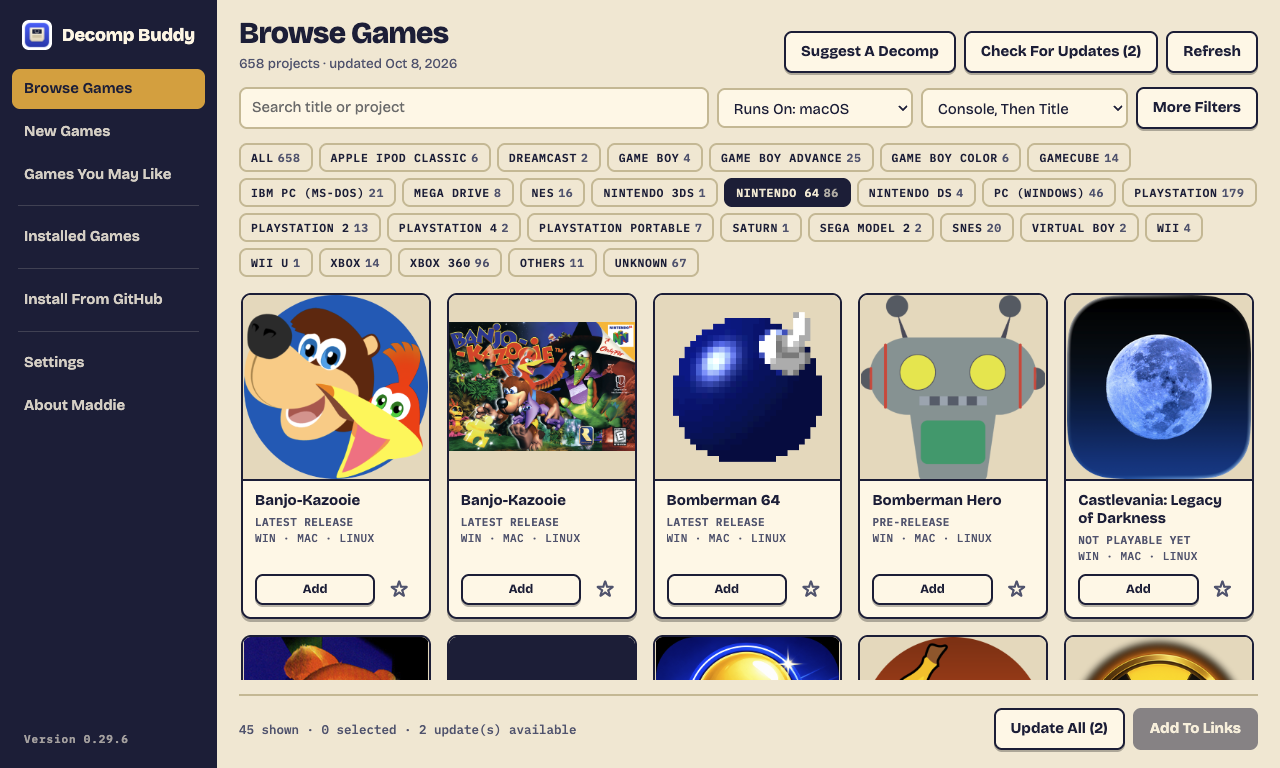
Browse Games
3465 games, with new ones added every day - deduplicated, so the same project never shows twice while different people's ports of the same game all stay listed. Every game is a box-art tile that says how complete it is and which computers or consoles it runs on.
- One button per console; search, Runs On and sort, with More Filters for the rest
- Only games you can play: decomps that just rebuild the original cartridge wait on their own list and move in when they ship a version you can run
- Console homebrew ports too - Xbox 360, Switch, Wii U, PS Vita and more - downloaded and unpacked, ready to copy to your console
- Star a game to wishlist it and hear when it gets a release
- GitLab-hosted projects install too
BROWSE · NINTENDO 64
02 · Discover
New Games and Games You May Like
New Games shows the newest additions, week by week. Games You May Like suggests more from the makers and consoles of the games you already have - and before you have any, the complete games with a fresh release.
- New arrivals get a NEW tag across the app
- Suggestions grouped under "Because You Have…"
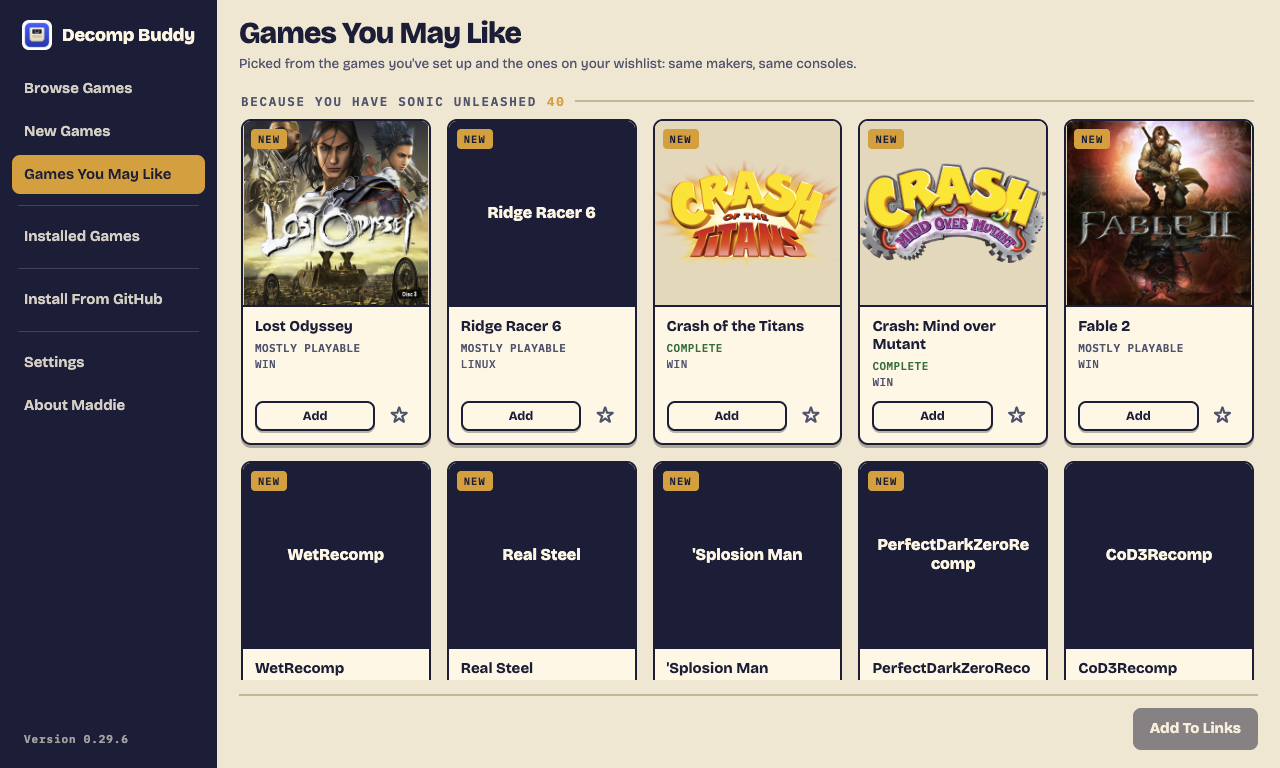
GAMES YOU MAY LIKE
03 · AI-read plans
Install From GitHub
Generative AI reads each project's GitHub page - README, build docs, every release - and returns an exact plan: which download fits the computer you're installing for, which game files you supply, the folder each goes in, and how to start it. A repo that ships several games gets a folder per game.
- Every game in the catalog has its plan written ahead of time - no AI key needed
- Paste any other GitHub link and your own AI key (Claude, OpenAI-compatible, or a free local Ollama model) reads it the same way
- Choose a file or a whole archive - zip, 7z, rar - and the game file inside is found; .cue files bring their tracks; multi-disc games get a row per disc
- Every setup writes an install.html checklist of what went where
INSTALL FROM GITHUB · NO AI USED
04 · Verify
Each game's page, and verification
A game's page shows the facts read from its own docs - does it run on Steam Deck, where saves live, controller notes - plus its README and release notes, and exactly what changed since the version you have. The moment you pick a file it's checked against what the project asks for: published checksums byte for byte, console headers for region and version, discs by serial.
- Checksums come only from the project's docs - the AI is told never to invent one
- Mismatches warn and are recorded; they never silently pass
- Every download is checked against GitHub's own checksum, and free space before a byte arrives
- Downloads are scanned for malware, and a game marked Scanned For Malware only ever installs that exact scanned file
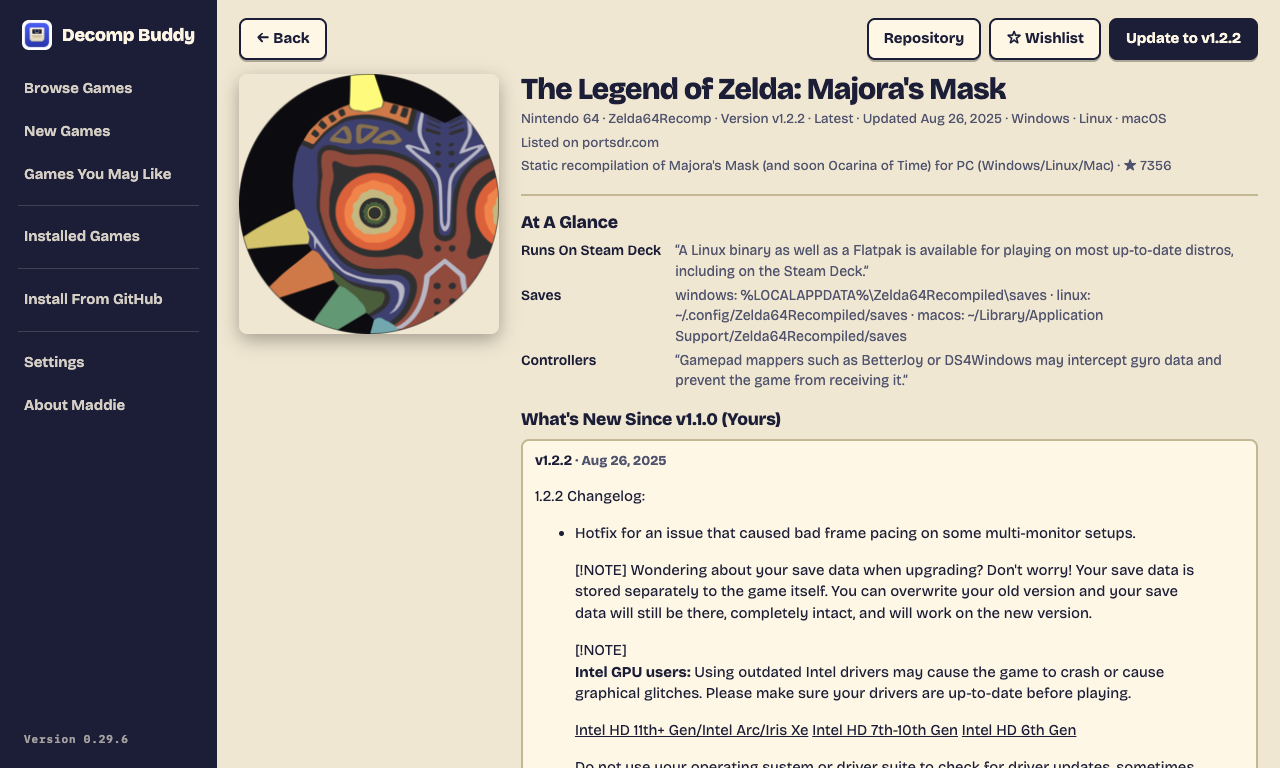
GAME PAGE · WHAT'S NEW SINCE YOURS
05 · Play
Installed Games, kept up to date
A shelf of everything you've set up. Continue Playing puts your last game one click away. Decomp Buddy watches every installed game's project for new releases: Update, or Update All, installs them with your game files carried over and your saves backed up first. Roll back any time.
- Install To Steam with grid, portrait and hero art
- Couch Mode: full screen, controller-friendly, made for a TV or Steam Deck
- Send games to another computer on your home network; sync saves through a cloud folder
- Mods and texture packs, installed the way each project's docs describe
INSTALLED GAMES · TWO UPDATES WAITING