Free for Mac, Windows and Linux
Play the classics
as real PC games.
Super Mario 64, Zelda, Sonic, GoldenEye and the rest of 2768 console games, as fan-made versions that run natively on your computer, no emulator. Decomp Buddy finds the right one, sets it up with your own copy of the game, and keeps it up to date.
You bring your own games. Decomp Buddy never downloads a ROM or disc image - it checks the one you already have is the one the project needs.
As Seen In
The Raytrace Interview · October 29, 2026 Decomp Buddy puts 2,218 decomps and recomps a click away. Next: a phone app to install them By Nicholas De Leon Read The InterviewWhat we're trying to do
No setup instructions to read.
Every one of these projects installs differently, and most people give up halfway through the instructions. Decomp Buddy has already read them for you.
Everything worth playing
Every fan-made PC version we can find, checked so only games you can actually play are listed. New ones are added every day.
AI reads the instructions
Generative AI reads each game's GitHub page - README, docs, every release - and turns it into an exact plan: the right download for your computer, the game file it needs, where it goes. Done ahead of time for every game in the catalog.
Or paste any GitHub link
Found a project that isn't listed yet? Paste its link. With your own AI key (Claude, any OpenAI-compatible service, or a free local model) it's read and set up the same way.
Kept up to date for you
Once a game is installed, Decomp Buddy watches for new releases. One click on Update - or Update All - installs the new version with your game files carried over and your saves backed up first.
How it works
Three steps. The boring parts are ours.
Pick games
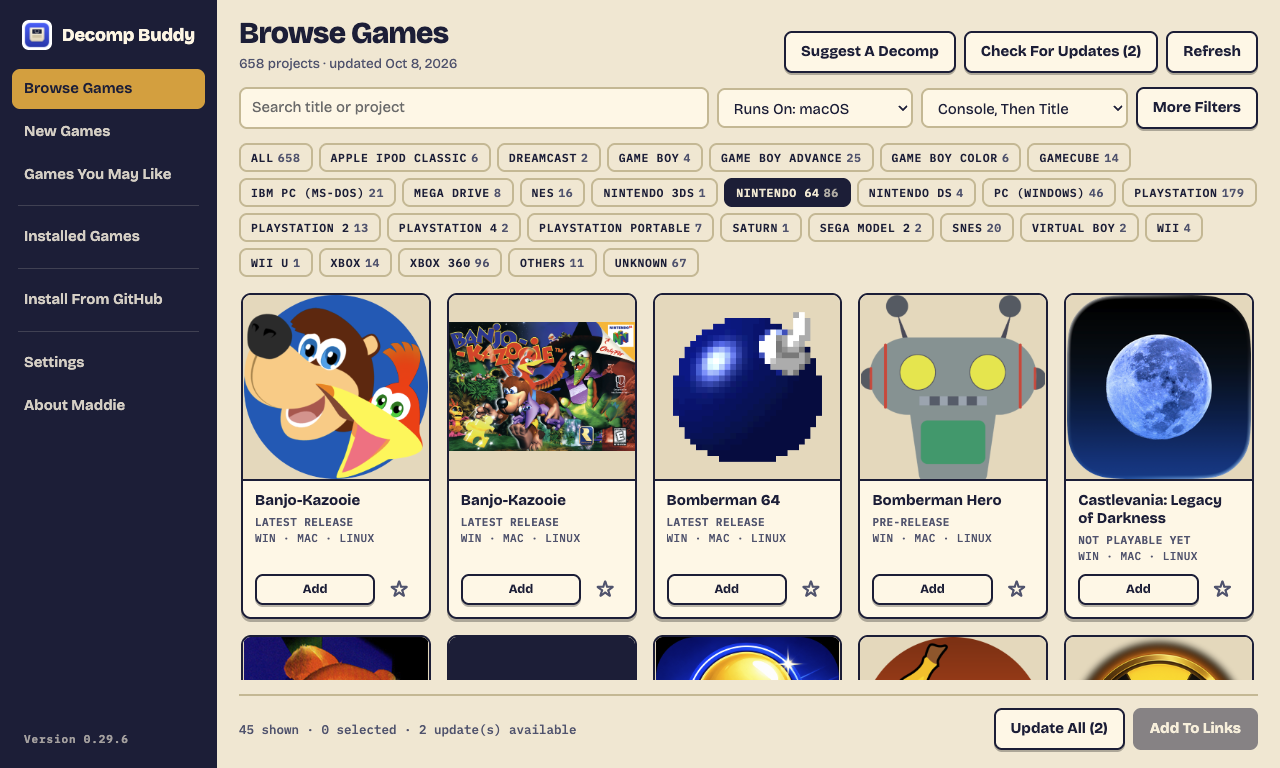
Browse by console, see what's new this week, or let Games You May Like suggest more from what you already play. Press Add.
Choose your file
Point it at your own copy - an ISO, a ROM, a .cue, even a zip or 7z. It's identified, checked against what the project asks for, converted if needed, and put in the right place.
Play
Press Play in Installed Games, add it to Steam, or send it to your gaming PC over your home network. Updates come to you.
A look inside
Built like a cartridge. Works like a launcher.
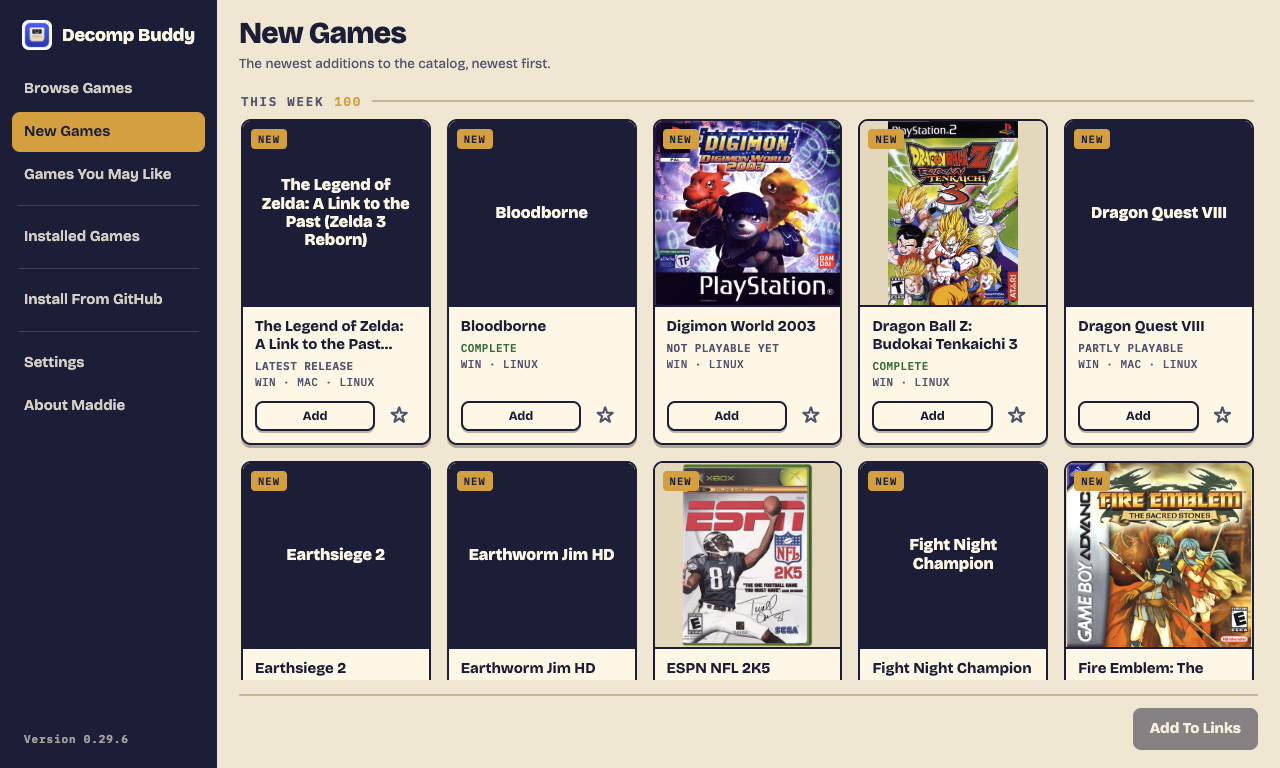
New Games
The newest additions to the catalog, grouped by week, so you see what the scene shipped while you were away.
Installed Games
Continue where you left off, see which games have an update waiting, and play, update, back up saves or add to Steam from one shelf.

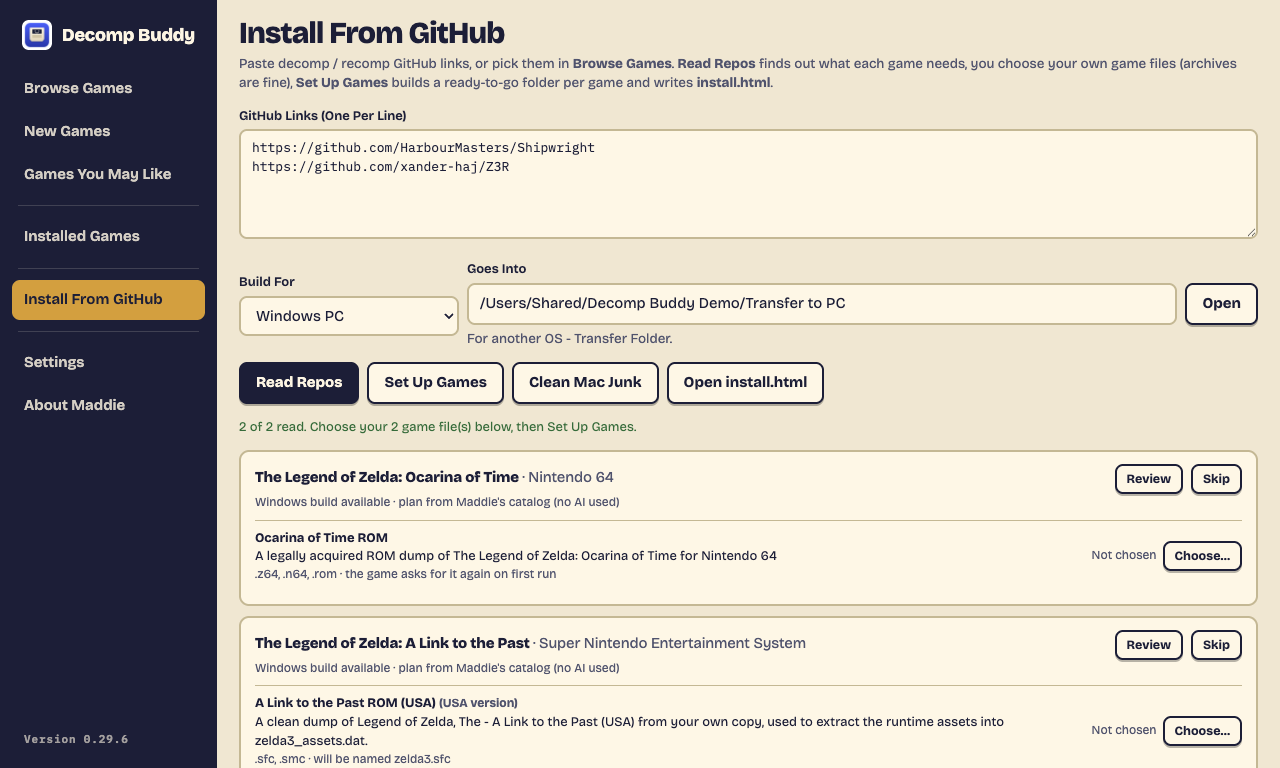
Install From GitHub
Paste links and press Read Repos. Games from the catalog use their published plan - no AI needed - and tell you exactly which file of yours to choose.
Honest by design
No fake green ticks.
Verification you can trust
Checksums are copied from the project's own docs, never invented. Console headers are read for region and version. Mismatches warn; nothing gets a fake pass.
Nothing about you leaves your computer
No account, no ads, no tracking. If you say yes, the app adds "+1" to a game's count when you set it up - just the game, nothing about you. Player reports and usage stats are only sent when you choose to, with no name and no ID. Your own AI key, if you add one, is encrypted on disk. Privacy policy.
Open source
Every line is on GitHub under the GPL. The Mac app is signed and notarized by Apple, and every download is checked against GitHub's own checksums as it arrives.