

Games · Amiga
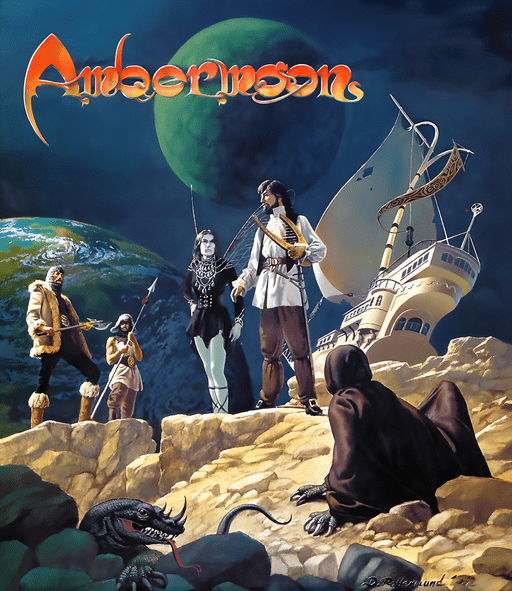
Ambermoon
- ReleasedAug 10, 2026
- Downloads30K
- Versionv1.16.0Scanned Clean
- GitHub Stars563
How It Runs
Played it? The app asks how a game ran when you close it, and your report shows here.
- Console
- Amiga
- Project
- Ambermoon.net
- Runs On
- Linux · macOS · Windows · Android
- Version
- v1.16.0 - v1.13.7 is out; Decomp Buddy installs it once it has passed the malware scan
- AI Use
- AI-Assistance Not Known
- What It Adds
- Mods - “Ambermoon.net can be extended with mods: new graphics, music, maps, monsters and items, or C code which hooks into the game.”
How To Set Up
Nothing of your own is needed.
The First Time It Starts
- Extract Ambermoon.net-Windows.zip to a writable folder.
- Run the Ambermoon.net executable and choose the game version (original or Ambermoon Advanced) in the version selector.
Decomp Buddy does the downloading and unpacking for you. These notes are condensed from the project's own instructions, for Windows PC.
Made By
 Pyrdacor
 Metibor
 rap2hpoutre
 cbrueffer
 midwan
 KIRA2104
 Hessi9b
 sisch
 ReddestDream
Safety Report
- Malware Scan
- Scanned with ClamAV 1.5.4 on Nov 17, 2026: no known malware in its 4 downloads. Decomp Buddy only installs those exact files - if the project swaps one, it waits for a new scan.
- Uploaded By
- The project's owner
- License
- GNU General Public License v3.0
- Account
- On GitHub since August 2014
Install
Get Game
Nothing happened? You need Decomp Buddy first. It's free: Get Decomp Buddy, open it once, then press Install again.
Decomp Buddy never hosts or downloads the original game. It sets up Ambermoon.net and tells you exactly which file of yours to drop in - then checks it's the right one. A ready-made plan is published for this one, so no AI key is needed. This is a community project: we check it, but we can't guarantee it.
Made this? Get a Listed On Decomp Buddy badge for your README.
More Like This
 Stunt Car Racer (Stunt Car Remake)Amiga · Linux · WindowsWidescreen
 Escape from Colditz (Colditz Escape)Amiga · macOS · Linux · Windows
 James Pond 2: Codename RoboCodAmiga · Windows · macOS · LinuxRuns On Steam DeckWidescreenHD
 Diggers (Fan Remake)Amiga · macOS · WindowsPlayable Start To FinishHD
 Street Rod (RodLegacy)Amiga · macOS · Linux · WindowsPlayable Start To Finish
 DeuterosAmiga · Linux · Windows · macOS