

Games · Dreamcast
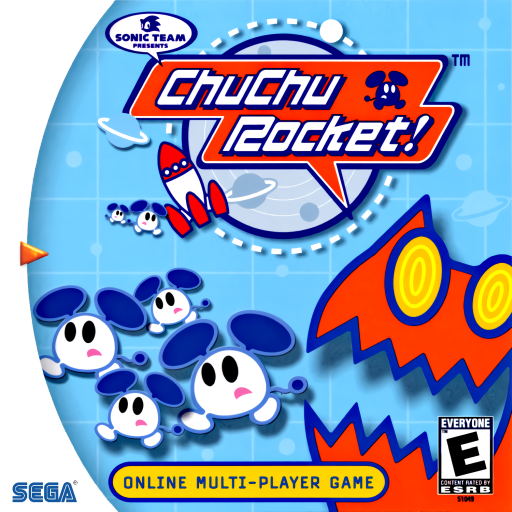
ChuChu Rocket! (Re-Nyastered)
Source On GitHubTideGear/ChuChu-Rocket-Re-Nyastered- ReleasedNov 18, 2026
- Downloads842
- Versionv2026.11.23Scanned Clean
- GitHub Stars5
How It Runs
Played it? The app asks how a game ran when you close it, and your report shows here.
- Console
- Dreamcast
- Project
- ChuChu-Rocket-Re-Nyastered
- Runs On
- Windows · macOS · Linux
- Version
- v2026.11.23 - v2026.11.20 is out; Decomp Buddy installs it once it has passed the malware scan
- Completeness
- Not Playable Yet - “This is very much a work in progress.”
- AI Use
- AI-Assisted
- What It Adds
- Local Multiplayer - “local hotseat for up to four players on one machine”
How To Set Up
You Bring
- ChuChu Rocket! mobile release (iOS or Android) - Your own copy of an iOS release (iPad HD 1.0 is best; iPhone 1.0, 1.0.2, 1.1 or 1.1.2 also work) or Android 1.14/1.15. Needed for the base graphics, audio and puzzles. Put it in a folder, then give that folder to the setup step.
- ChuChu Rocket! Dreamcast disc (optional) - Optional. Adds stereo CD music, the Dreamcast title art and the original puzzles. Numbered .bin tracks with their .cue; the tested layout is a USA multilingual dump with 19 .bin files and one .cue.
- ChuChu Rocket! Game Boy Advance ROM (optional) - Optional. Adds 2,466 extra puzzles and the GBA versions of the 100 main puzzles.
The First Time It Starts
- Extract the release.
- Run ccr.exe --prepare "<folder with your original files>" once (or let RecompLauncher do it).
- Start ccr.exe.
Decomp Buddy does the downloading and unpacking for you. These notes are condensed from the project's own instructions, for Windows PC.
Its project says AI tools helped with its code. “AI assists with reverse engineering, implementation, testing and documentation.”
Rather not see AI-assisted games? Tick Hide AI-Assisted on the game list.
Made By
 TideGear
Safety Report
- Malware Scan
- Scanned with ClamAV 1.5.4 on Nov 21, 2026: no known malware in its 3 downloads. Decomp Buddy only installs those exact files - if the project swaps one, it waits for a new scan.
- Uploaded By
- The project's owner
- License
- Not stated by the project
- Account
- On GitHub since December 2015
Install
Get Game
Nothing happened? You need Decomp Buddy first. It's free: Get Decomp Buddy, open it once, then press Install again.
Decomp Buddy never hosts or downloads the original game. It sets up ChuChu-Rocket-Re-Nyastered and tells you exactly which file of yours to drop in - then checks it's the right one. A ready-made plan is published for this one, so no AI key is needed. This is a community project: we check it, but we can't guarantee it.
Made this? Get a Listed On Decomp Buddy badge for your README.
More Like This
ChuChu Rocket! (Duck Marines)Dreamcast · Windows Sonic Adventure (Recompiled)Dreamcast · Linux · WindowsPlayable Start To FinishRuns On Steam DeckWidescreen
 SoulCalibur (Voldorium)Dreamcast · WindowsRuns On Steam Deck60 FPSWidescreenHD
 Blue StingerDreamcast · WindowsPre-releaseSonic AdventureDreamcast · WindowsNot Playable YetPre-release
 Space Channel 5Dreamcast · Windows · Linux · macOSMostly PlayableWidescreenMods