

Games · IBM PC (MS-DOS)
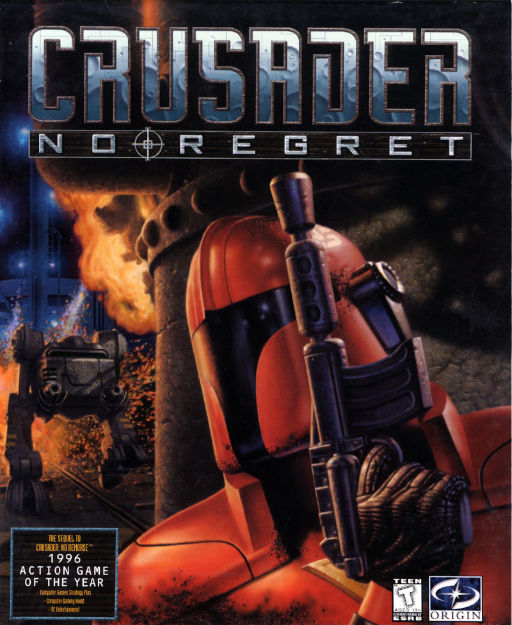
Crusader: No Regret
Source On GitHubsparkstar/no-more-regret- ReleasedNov 10, 2026
- Downloads93
- Versionv0.9.1Scanned Clean
- GitHub Stars4
How It Runs
Played it? The app asks how a game ran when you close it, and your report shows here.
- Console
- IBM PC (MS-DOS)
- Project
- no-more-regret
- Runs On
- Windows · Linux
- Version
- v0.9.1, Nov 10, 2026
- AI Use
- AI-Assistance Not Known
- What It Adds
- Widescreen - “- Aspect ratio: 4:3 as in the original, or the experimental wide screen (WIDE (TEST)).”
- Collection
- One of 2 games in the same repository.
How To Set Up
You Bring
- Crusader: No Regret game folder (REGRET.EXE) - The installed game folder from your own GOG or Steam copy. Copy the port's executable into it, beside REGRET.EXE; the executable in the folder chooses the game and the port writes saves and settings there.
- Crusader: No Regret CD image - The game's CD image, read in place from the game folder: GOG's GAME.GOG, else Steam's GAME.BIN. CRUSADER_CD can point at another CD (a directory or an image).
The First Time It Starts
- Install the game (Steam, GOG installer on Windows, or innoextract on Linux/macOS).
- Extract the release and copy crusader-port.exe into the game's folder, beside REGRET.EXE.
- Run it. The port writes SAVEGAME/, CRUSADER.CFG and enhanced.cfg in that folder.
- Press F2 in game, or OPTIONS in the main menu, for the settings screen.
Decomp Buddy does the downloading and unpacking for you. These notes are condensed from the project's own instructions, for Windows PC.
Made By
 sparkstar
Safety Report
- Malware Scan
- Scanned with ClamAV 1.5.4 on Nov 10, 2026: no known malware in its 2 downloads. Decomp Buddy only installs those exact files - if the project swaps one, it waits for a new scan.
- Uploaded By
- The project's own automatic build on GitHub
- License
- MIT License
- Account
- On GitHub since February 2012
Install
Get Game
Nothing happened? You need Decomp Buddy first. It's free: Get Decomp Buddy, open it once, then press Install again.
Decomp Buddy never hosts or downloads the original game. It sets up no-more-regret and tells you exactly which file of yours to drop in - then checks it's the right one. A ready-made plan is published for this one, so no AI key is needed. This is a community project: we check it, but we can't guarantee it.
Made this? Get a Listed On Decomp Buddy badge for your README.
More Like This
 Command & Conquer: Red AlertIBM PC (MS-DOS) · OpenRA · Linux · Windows · macOSPre-releaseMods
 Command & Conquer: Tiberian DawnIBM PC (MS-DOS) · OpenRA · Linux · Windows · macOSPre-releaseMods
 DoomIBM PC (MS-DOS) · gzdoom · macOS · Windows · Linux
 The Elder Scrolls II: DaggerfallIBM PC (MS-DOS) · Linux · macOS · WindowsWidescreenHDModsDoom (QuestZDoom)IBM PC (MS-DOS) · Meta QuestModsDoom (UZDoom)IBM PC (MS-DOS) · Linux · Windows · macOSPre-releaseHDMods