

Games · Xbox
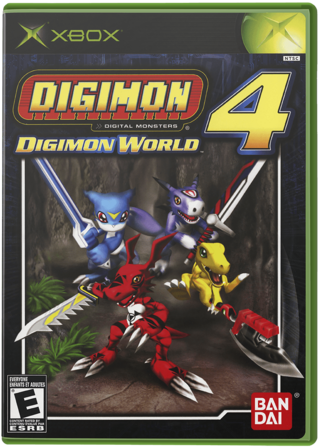
Digimon World 4 (Digimon World 4 Recomp)
Source On GitHublorransouzaaguiar/Digimon-World-4-Recomp- ReleasedNov 24, 2026
- Downloads193
- Versionv1.1.0Scanned Clean
How It Runs
Played it? The app asks how a game ran when you close it, and your report shows here.
- Console
- Xbox
- Project
- Digimon-World-4-Recomp
- Runs On
- Linux
- Version
- v1.1.0 - v0.3.0 is out; Decomp Buddy installs it once it has passed the malware scan
- Completeness
- Partly Playable - “Playable from boot through the first areas”
- AI Use
- AI-Assistance Not Known
- What It Adds
- 60 FPS - “| Vulkan renderer, the default: presents straight from the graphics card (swapchain), 4K at 60 fps; OpenGL stays selectable in the launcher (Graphics → Graphics API) and draws the same picture | ✅ |” · Widescreen - “| Internal resolution up to 4K and widescreen (16:9, 21:9): wider scenery, player panel and minimap in the screen corners, dialogue box edge to edge, menus stay 4:3 | ✅ played in the first stages |” · HD - “| Internal resolution up to 4K and widescreen (16:9, 21:9): wider scenery, player panel and minimap in the screen corners, dialogue box edge to edge, menus stay 4:3 | ✅ played in the first stages |”
How To Set Up
You Bring
- Digimon World 4 (Xbox, NTSC-U) disc - Your own Digimon World 4 Xbox disc (NTSC-U, title ID 42410002) as a disc image (.iso, a game-partition XISO or a full Redump-style image), or a folder with the disc already extracted.
The First Time It Starts
- Make the AppImage executable (chmod +x) and open it.
- On the Play screen, choose your disc image (.iso) or the extracted disc folder.
- Click PLAY.
Decomp Buddy does the downloading and unpacking for you. These notes are condensed from the project's own instructions, for Linux.
Made By
 lorransouzaaguiar
Safety Report
- Malware Scan
- Scanned with ClamAV 1.5.5 on Nov 27, 2026: no known malware in its download. Decomp Buddy only installs those exact files - if the project swaps one, it waits for a new scan.
- Uploaded By
- The project's owner
- License
- MIT License
- Account
- On GitHub since April 2020
Install
Get Game
Nothing happened? You need Decomp Buddy first. It's free: Get Decomp Buddy, open it once, then press Install again.
Decomp Buddy never hosts or downloads the original game. It sets up Digimon-World-4-Recomp and tells you exactly which file of yours to drop in - then checks it's the right one. A ready-made plan is published for this one, so no AI key is needed. This is a community project: we check it, but we can't guarantee it.
Made this? Get a Listed On Decomp Buddy badge for your README.
More Like This
 BlackXbox · Black-Android · Android
 Need for Speed: Most Wanted (Black Edition)Xbox · MostWanted-Android · AndroidPartly Playable60 FPSMods
 Dead or Alive Xtreme Beach VolleyballXbox · doaxvb-re · WindowsPlayable Start To Finish60 FPSRay Tracing
 Mortal Kombat: Shaolin MonksXbox · ShaolinMonks-Android · AndroidNot Playable Yet
 Def Jam: Fight for NYXbox · Def-Jam-Android-Native-Port · Android
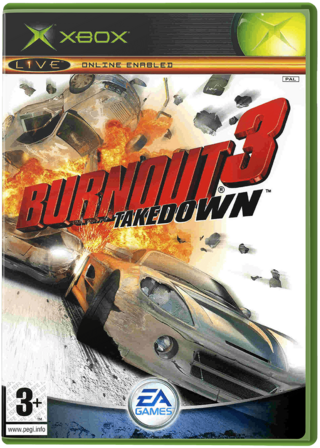 Burnout 3: Takedown (Takedawn)Xbox · Windows · Linux · macOSSteam Deck Verified60 FPSWidescreenHD