

Games · IBM PC (MS-DOS)
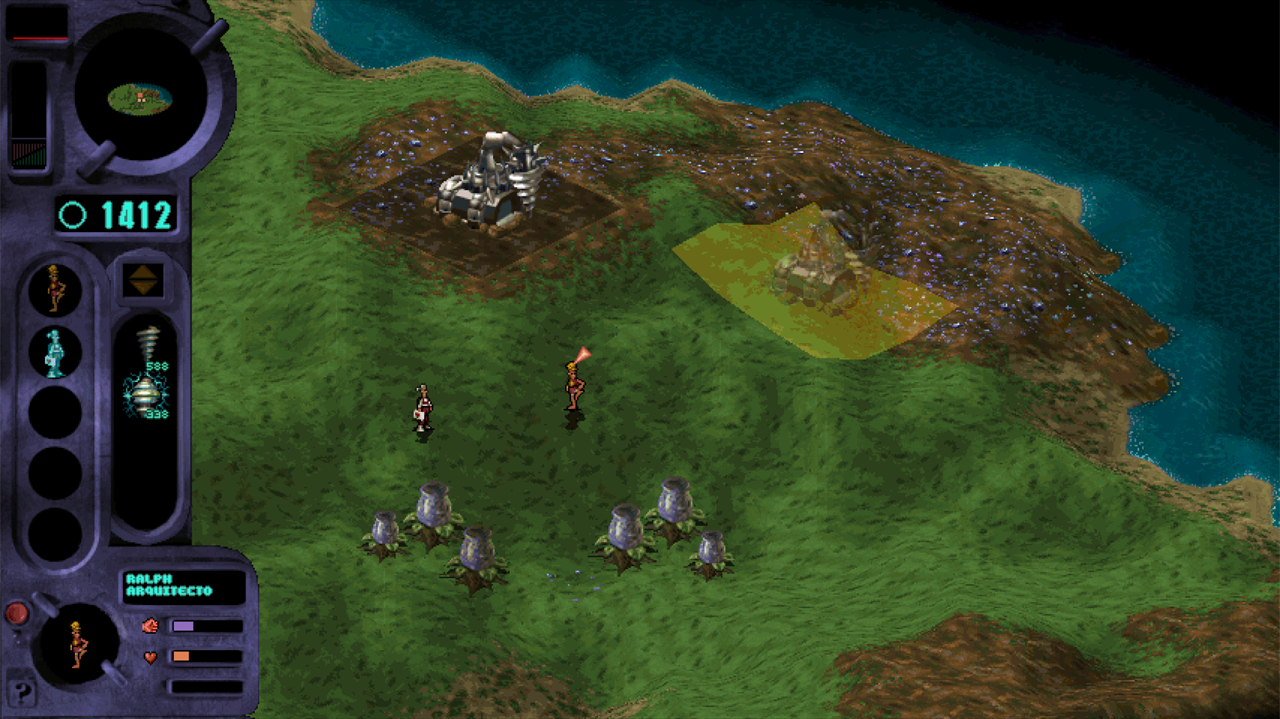
Gene Wars (GWRecomp)
- ReleasedNov 19, 2026
- Versionv1.2.0Scanned Clean
How It Runs
Played it? The app asks how a game ran when you close it, and your report shows here.
- Console
- IBM PC (MS-DOS)
- Project
- genewars
- Runs On
- Windows
- Version
- v1.2.0, Nov 19, 2026
- AI Use
- AI-Assistance Not Known
- What It Adds
- 60 FPS - “- 120 FPS presentation with camera scroll interpolation; the simulation keeps the game's own tick rate.” · Widescreen - “- Widescreen 854×480,”
How To Set Up
You Bring
- Gene Wars 1.1 GENEWARS folder - The GENEWARS folder created by the original installer of your own copy of Gene Wars (European edition), patched to version 1.1. It contains DATA, LEVELS, SOUND, INTRO, ANIMS, LDATA, S, SPEECH, SAVE and loose files such as GW.EXE. GWRecomp checks it with SHA-256 and only reads it.
- Gene Wars CD image (optional, for CD music) - Optional: the .cue file of your own Gene Wars CD image, used for the CD music.
The First Time It Starts
- Unzip anywhere you can write (saves and logs go next to the program).
- Double-click gwrecomp.exe.
- In the launcher press CHANGE and choose your GENEWARS folder until the four marks turn green.
- Start the game, continue the last game, or pick a mission.
- The first time you enter the game, gwrecomp.exe prepares two files in work\ from your GW.EXE; it takes a moment and happens once.
Decomp Buddy does the downloading and unpacking for you. These notes are condensed from the project's own instructions, for Windows PC.
Made By
 Polocop
 mefistotelis
Safety Report
- Malware Scan
- Scanned with ClamAV 1.5.4 on Nov 20, 2026: no known malware in its download. Decomp Buddy only installs those exact files - if the project swaps one, it waits for a new scan.
- Uploaded By
- The project's owner
- License
- Not stated by the project
- Account
- On GitHub since September 2026
Install
Get Game
Nothing happened? You need Decomp Buddy first. It's free: Get Decomp Buddy, open it once, then press Install again.
Decomp Buddy never hosts or downloads the original game. It sets up genewars and tells you exactly which file of yours to drop in - then checks it's the right one. A ready-made plan is published for this one, so no AI key is needed. This is a community project: we check it, but we can't guarantee it.
Made this? Get a Listed On Decomp Buddy badge for your README.
More Like This
 Command & Conquer: Red AlertIBM PC (MS-DOS) · OpenRA · Linux · Windows · macOSPre-releaseMods
 Command & Conquer: Tiberian DawnIBM PC (MS-DOS) · OpenRA · Linux · Windows · macOSPre-releaseMods
 DoomIBM PC (MS-DOS) · gzdoom · macOS · Windows · Linux
 The Elder Scrolls II: DaggerfallIBM PC (MS-DOS) · Linux · macOS · WindowsWidescreenHDModsDoom (QuestZDoom)IBM PC (MS-DOS) · Meta QuestModsDoom (UZDoom)IBM PC (MS-DOS) · Linux · Windows · macOSPre-releaseHDMods