

Games · Xbox

Harry Potter and the Prisoner of Azkaban (Mac port)
Source On GitHubsanyokkua/hp3-poa-xbox-port- ReleasedNov 25, 2026
- Downloads17
- Versionv0.1.1Scanned Clean
- GitHub Stars1
How It Runs
Played it? The app asks how a game ran when you close it, and your report shows here.
- Console
- Xbox
- Project
- hp3-poa-xbox-port
- Runs On
- macOS
- Version
- v0.1.1 - v0.1.0 is out; Decomp Buddy installs it once it has passed the malware scan
- AI Use
- AI-Assistance Not Known
- What It Adds
- 60 FPS - “bloom, a settings menu over the game, 60 fps, and a few tweaks: skip the logo movies, and skip cutscenes.” · HD - “commands and nfsu2-ios's Metal renderer draws them on your Mac's GPU, at a higher resolution.”
How To Set Up
You Bring
- Harry Potter and the Prisoner of Azkaban disc image (Xbox, USA) - A disc image (ISO) of your own USA Xbox release of Harry Potter and the Prisoner of Azkaban. The installer copies the game's files (about 1.9 GB) into ~/Library/Application Support/Harry Potter Prisoner of Azkaban and checks that it is the USA disc. The PAL edition is not supported.
The First Time It Starts
- Open the .dmg and drag Harry Potter Prisoner of Azkaban Installer to Applications.
- Open it. The installer isn't notarized, so the first time macOS refuses: close the message, go to System Settings > Privacy & Security, click Open Anyway and confirm.
- If Apple's Command Line Tools aren't installed, macOS offers to install them; click Install.
- Choose your disc image; the installer copies the files, checks it is the USA disc, translates the game's program to C and compiles it (3 min 13 s once on an M1 Pro).
- Harry Potter Prisoner of Azkaban is put in Applications (or ~/Applications) and opens; play it from there.
Decomp Buddy does the downloading and unpacking for you. These notes are condensed from the project's own instructions, for Mac (Apple Silicon).
Made By
 sanyokkua
Safety Report
- Malware Scan
- Scanned with ClamAV 1.5.5 on Nov 27, 2026: no known malware in its download. Decomp Buddy only installs those exact files - if the project swaps one, it waits for a new scan.
- Uploaded By
- The project's owner
- License
- GNU General Public License v3.0
- Account
- On GitHub since October 2013
Install
Get Game
Nothing happened? You need Decomp Buddy first. It's free: Get Decomp Buddy, open it once, then press Install again.
Decomp Buddy never hosts or downloads the original game. It sets up hp3-poa-xbox-port and tells you exactly which file of yours to drop in - then checks it's the right one. A ready-made plan is published for this one, so no AI key is needed. This is a community project: we check it, but we can't guarantee it.
Made this? Get a Listed On Decomp Buddy badge for your README.
More Like This
 BlackXbox · Black-Android · Android
 Need for Speed: Most Wanted (Black Edition)Xbox · MostWanted-Android · AndroidPartly Playable60 FPSMods
 Dead or Alive Xtreme Beach VolleyballXbox · doaxvb-re · WindowsPlayable Start To Finish60 FPSRay Tracing
 Mortal Kombat: Shaolin MonksXbox · ShaolinMonks-Android · AndroidNot Playable Yet
 Def Jam: Fight for NYXbox · Def-Jam-Android-Native-Port · Android
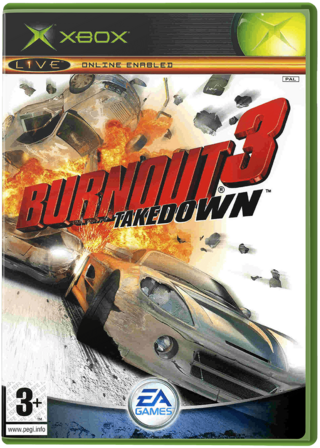 Burnout 3: Takedown (Takedawn)Xbox · Windows · Linux · macOSSteam Deck Verified60 FPSWidescreenHD