

Games · PlayStation
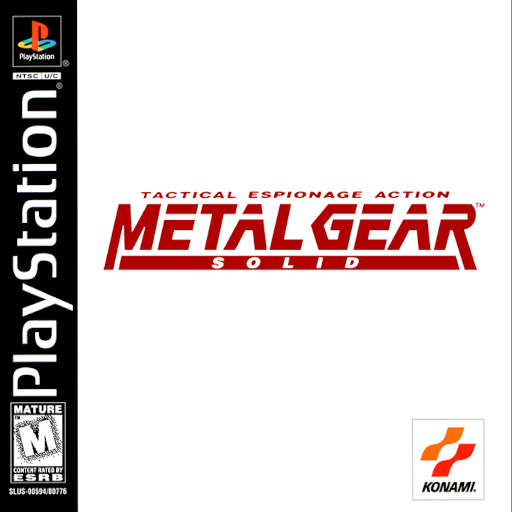
Metal Gear Solid (mgs-reintegral)
Source On GitHubDrommedhar/mgs-reintegral- ReleasedOct 10, 2026
- Downloads2.4K
- Versionv0.3.1Scanned Clean
- GitHub Stars72
How It Runs
Played it? The app asks how a game ran when you close it, and your report shows here.
- Console
- PlayStation
- Project
- mgs-reintegral
- Runs On
- Windows
- Version
- v0.3.1 (pre-release) - v0.2.0-alpha.1 is out; Decomp Buddy installs it once it has passed the malware scan
- Completeness
- Mostly Playable - “One main-campaign route was completed through credits on 10 October 2026.”
- AI Use
- AI-Assistance Not Known
- What It Adds
- Widescreen - “runner accepts -Stage s00a, -Widescreen, -Resolution 2560x1440 and” · Mods - “Version 0.3.1 brings the Godot renderer and modding SDK together with the”
How To Set Up
You Bring
- Metal Gear Solid Integral Disc 1 (Japan) - Your own Japanese Metal Gear Solid Integral Disc 1 (SLPM-86247) in single-track MODE2/2352 BIN/CUE format.
- Metal Gear Solid Integral Disc 2 (Japan) - Your own Japanese Metal Gear Solid Integral Disc 2 (SLPM-86248) in single-track MODE2/2352 BIN/CUE format.
- Optional English or German language discs - Optional: a US English v1.0 or German campaign disc pair from your own copies, used to import local text and speech packs. Integral stays required for gameplay.
The First Time It Starts
- Extract the entire windows-x86.zip folder and open RE-INTEGRAL.exe (keep it beside mgs-integral-native.exe, and keep the language-importer folder alongside them).
- Select both disc CUE files in Discs and display.
- Choose a resolution and enable widescreen or fullscreen if you like.
- Click Save and play. Disc identities are checked before the game starts.
Decomp Buddy does the downloading and unpacking for you. These notes are condensed from the project's own instructions, for Windows PC.
Made By
 Drommedhar
Safety Report
- Malware Scan
- Scanned with ClamAV 1.5.4 on Nov 9, 2026: no known malware in its download. Decomp Buddy only installs those exact files - if the project swaps one, it waits for a new scan.
- Uploaded By
- The project's own automatic build on GitHub
- License
- Not stated by the project
- Account
- On GitHub since April 2015
Install
Get Game
Nothing happened? You need Decomp Buddy first. It's free: Get Decomp Buddy, open it once, then press Install again.
Decomp Buddy never hosts or downloads the original game. It sets up mgs-reintegral and tells you exactly which file of yours to drop in - then checks it's the right one. A ready-made plan is published for this one, so no AI key is needed. This is a community project: we check it, but we can't guarantee it.
Made this? Get a Listed On Decomp Buddy badge for your README.
More Like This
 Silent HillPlayStation · silent-hill-decomp · WindowsPlayable Start To FinishPre-release
 Castlevania: Symphony of the NightPlayStation · SymphonyRecomp · Windows · Linux · macOS
 Driver 2PlayStation · Windows · LinuxPlayable Start To FinishPre-releaseMods
 Yu-Gi-Oh! Forbidden MemoriesPlayStation · Yu-Gi-Oh-Forbidden-Memories-Recompiled · Linux · WindowsPre-releaseWidescreenHDMods
 Legend of DragoonPlayStation · Windows · Linux · macOSPlayable Start To Finish
 DoomPlayStation · Linux · macOS · WindowsPre-releaseWidescreenMods