

Games · Xbox 360
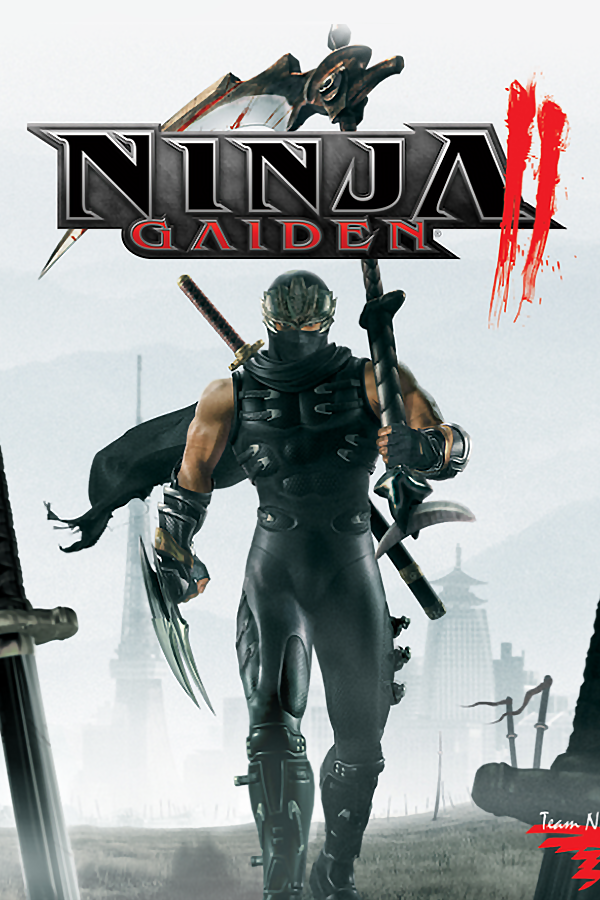
Ninja Gaiden II
Source On GitHubPiscacho/Ninja-Gaiden-2-PC- ReleasedNov 18, 2026
- Downloads24
- Versionv1.0.0Scanned Clean
- GitHub Stars1
How It Runs
Played it? The app asks how a game ran when you close it, and your report shows here.
- Console
- Xbox 360
- Project
- Ninja-Gaiden-2-PC
- Runs On
- Windows
- Version
- v1.0.0, Nov 18, 2026
- AI Use
- AI-Assistance Not Known
- What It Adds
- Widescreen - “- Imagen: resolución interna ×2/×3 (1440p, 4K), panorámico 21:9 y 32:9 (Hor+, con la interfaz en su sitio),” · HD - “- Imagen: resolución interna ×2/×3 (1440p, 4K), panorámico 21:9 y 32:9 (Hor+, con la interfaz en su sitio),”
How To Set Up
You Bring
- Ninja Gaiden II Xbox 360 disc image (ISO, World version) - Your own Xbox 360 ISO of the World version: Ninja Gaiden II (World) (En,Ja,Fr,De,Es,It,Zh,Ko,Pl,Ru), chosen in the launcher.
- Downloadable content packages (optional) - Your own Xbox 360 DLC packages (LIVE/CON files), for example the costumes (Biometal, Fiend, Shadow Walker...). They are imported automatically at start.
- Title Update #2 and Mission Mode DLC (optional) - Your console's title update #2 (file TU_1A461UL_...) plus the Mission Mode DLC, both copied into dlc\. NG2.exe applies the update in memory at start (via NG2TU.exe) and MISSIONS appears in the main menu.
The First Time It Starts
- Unzip the download into a folder, for example C:\Games\Ninja Gaiden II.
- Open NG2.exe (if Windows says it protected your PC: More info, then Run anyway).
- In the launcher, on the Game page, choose your ISO and press PLAY.
- Optional: copy DLC packages (and title update #2 for Mission Mode) into the dlc folder before starting.
Decomp Buddy does the downloading and unpacking for you. These notes are condensed from the project's own instructions, for Windows PC.
Made By
 Piscacho
Safety Report
- Malware Scan
- Scanned with ClamAV 1.5.4 on Nov 18, 2026: no known malware in its download. Decomp Buddy only installs those exact files - if the project swaps one, it waits for a new scan.
- Uploaded By
- The project's owner
- License
- Not stated by the project
- Account
- On GitHub since June 2018
Install
Get Game
Nothing happened? You need Decomp Buddy first. It's free: Get Decomp Buddy, open it once, then press Install again.
Decomp Buddy never hosts or downloads the original game. It sets up Ninja-Gaiden-2-PC and tells you exactly which file of yours to drop in - then checks it's the right one. A ready-made plan is published for this one, so no AI key is needed. This is a community project: we check it, but we can't guarantee it.
Made this? Get a Listed On Decomp Buddy badge for your README.
More Like This
 Sonic UnleashedXbox 360 · UnleashedRecomp · Windows · LinuxRuns On Steam Deck60 FPSWidescreenHD
 Tekken 6Xbox 360 · Tekken6-native-online · Windows
 Lost OdysseyXbox 360 · LostOdysseyRecomp · WindowsRuns On Steam Deck
 Midnight Club: Los Angeles (mcla-recomp)Xbox 360 · Windows60 FPSHD
 Skate 3Xbox 360 · skate3recomp · Windows · Linux · macOSMostly PlayableWidescreen
 Need for Speed: Most WantedXbox 360 · NFSMW Android Evolved · AndroidHD