

Games · Nintendo 3DS
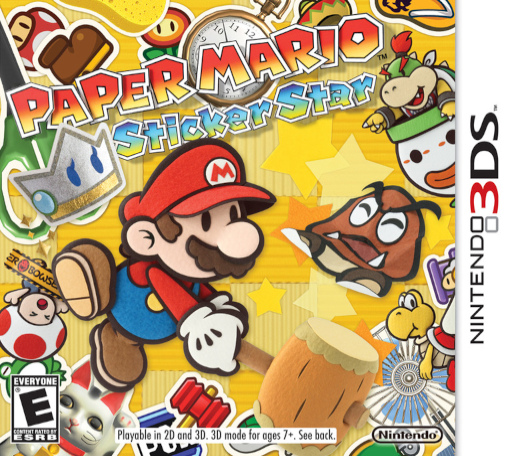
Paper Mario: Sticker Star (Project Glitterstar)
Source On GitHubKaito-Shirakumo/Project-Glitterstar-Recompiled- ReleasedNov 28, 2026
- Versionv0.5-beta.1Scanned Clean
How It Runs
Played it? The app asks how a game ran when you close it, and your report shows here.
- Console
- Nintendo 3DS
- Project
- Project-Glitterstar-Recompiled
- Runs On
- Windows
- Version
- v0.5-beta.1, Nov 28, 2026
- AI Use
- AI-Assisted
How To Set Up
You Bring
- Paper Mario: Sticker Star ROM (decrypted) - Your own legally dumped, decrypted copy of Paper Mario: Sticker Star (.cci or .3ds), Title ID 00040000000A5F00.
The First Time It Starts
- Download and extract the release archive.
- Run Project Glitterstar.exe.
- Select your own decrypted Paper Mario: Sticker Star ROM file when prompted to compile and launch the game.
Decomp Buddy does the downloading and unpacking for you. These notes are condensed from the project's own instructions, for Windows PC.
Its project says AI tools helped with its code. “OpenAI Codex: Used as an AI coding assistant to adapt the codebase, debug runtime logs, and build the launcher.”
Rather not see AI-assisted games? Tick Hide AI-Assisted on the game list.
Made By
 Kaito-Shirakumo
Safety Report
- Malware Scan
- Scanned with ClamAV 1.5.5 on Nov 28, 2026: no known malware in its download. Decomp Buddy only installs those exact files - if the project swaps one, it waits for a new scan.
- Uploaded By
- The project's owner
- License
- Not stated by the project
- Account
- On GitHub since November 2026
Install
Get Game
Nothing happened? You need Decomp Buddy first. It's free: Get Decomp Buddy, open it once, then press Install again.
Decomp Buddy never hosts or downloads the original game. It sets up Project-Glitterstar-Recompiled and tells you exactly which file of yours to drop in - then checks it's the right one. A ready-made plan is published for this one, so no AI key is needed. This is a community project: we check it, but we can't guarantee it.
Made this? Get a Listed On Decomp Buddy badge for your README.
More Like This
 The Legend of Zelda: Ocarina of Time 3DNintendo 3DS · Windows · LinuxMostly PlayableRuns On Steam DeckPre-releaseThe Legend of Zelda: Ocarina of Time 3D (Ocarina ReTuned)Nintendo 3DS · Android · Linux · macOS · WindowsPre-release60 FPSHDMods
 Metroid: Samus Returns (msr2ds)Nintendo 3DS · Linux · WindowsRuns On Steam Deck60 FPSWidescreenHD
 Monster Hunter 4 Ultimate (MH4U for Android)Nintendo 3DS · Android60 FPSWidescreenHDMonster Hunter 4 Ultimate (MH4UltimateDC)Nintendo 3DS · Linux · macOS · WindowsMostly Playable60 FPSWidescreenMods
 Super Mario 3D LandNintendo 3DS · WindowsPartly Playable60 FPSWidescreenHD