

Games · Wii
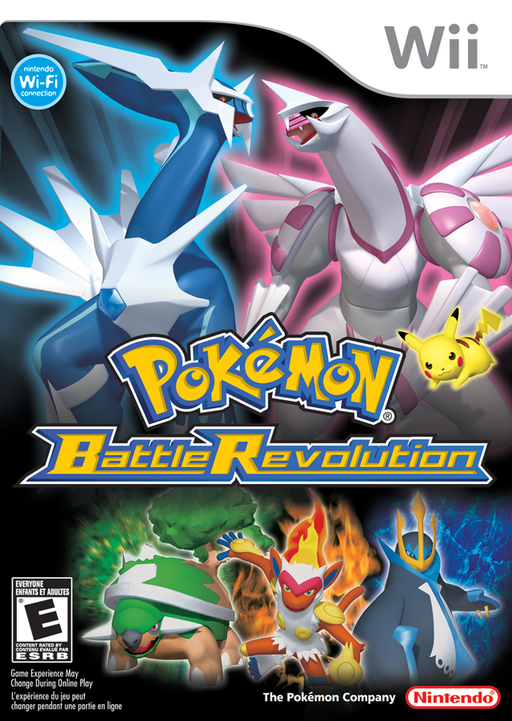
Pokémon Battle Revolution (PC port)
Source On GitHubwk0t/pbr-pc-port- ReleasedNov 28, 2026
- Versionv1.0.0Scanned Clean
How It Runs
Plays Great
Has Problems
Won't Run
Played it? The app asks how a game ran when you close it, and your report shows here.
- Console
- Wii
- Project
- pbr-pc-port
- Runs On
- Windows
- Version
- v1.0.0, Nov 28, 2026
- Completeness
- Playable Start To Finish - “Full game: title, Pokétopia menus, Battle Passes, Colosseums, battles, saving and loading”
- AI Use
- AI-Assistance Not Known
- What It Adds
- Widescreen - “- Rendering: internal resolution 1x–8x, anisotropic filtering, AMD FSR 1 and NVIDIA Image Scaling (NIS) upscaling with sharpness control, native 16:9 widescreen mode, vertical sync, keep-aspect / stretch / integer scalin” · HD - “- Rendering: internal resolution 1x–8x, anisotropic filtering, AMD FSR 1 and NVIDIA Image Scaling (NIS) upscaling with sharpness control, native 16:9 widescreen mode, vertical sync, keep-aspect / stretch / integer scalin” · Mods - “- Mods: replacement textures named like Dolphin texture packs (mods/textures/), and texture extraction to build your own pack.”
How To Set Up
You Bring
- Pokemon Battle Revolution disc image (Europe, RPBP01, revision 0) - Your own dump of the European Wii disc RPBP01 revision 0, as ISO, RVZ, WIA, GCZ, WBFS or an already extracted folder. The launcher extracts it, generates the C code and builds the executable locally (about 10 minutes the first time).
The First Time It Starts
- Extract the zip anywhere (for example C:\Games\pbr-pc-port); keep PBR-Launcher.exe next to the recomp and launcher folders.
- Double-click PBR-Launcher.exe (or Lancer.bat).
- On the Game tab (Jeu) choose your disc image or extracted folder and click Prepare the game (Preparer le jeu); the launcher downloads symbols.txt (hash checked).
- Click PLAY (JOUER).
Decomp Buddy does the downloading and unpacking for you. These notes are condensed from the project's own instructions, for Windows PC.
Made By
 wk0t
Safety Report
- Malware Scan
- Scanned with ClamAV 1.5.5 on Nov 28, 2026: no known malware in its download. Decomp Buddy only installs those exact files - if the project swaps one, it waits for a new scan.
- Uploaded By
- The project's owner
- License
- Not stated by the project
- Account
- On GitHub since October 2022
Install
Get Game
Nothing happened? You need Decomp Buddy first. It's free: Get Decomp Buddy, open it once, then press Install again.
Decomp Buddy never hosts or downloads the original game. It sets up pbr-pc-port and tells you exactly which file of yours to drop in - then checks it's the right one. A ready-made plan is published for this one, so no AI key is needed. This is a community project: we check it, but we can't guarantee it.
Made this? Get a Listed On Decomp Buddy badge for your README.
More Like This
 Mario Kart WiiWii · Wiicompiled · Windows · LinuxMostly Playable
 Sengoku Basara 2 HeroesWii · AndroidPlayable Start To Finish60 FPSWidescreenHD
 New Super Mario Bros. Wii (NSMB Wii Multiplayer Decompilation)Wii · Windows60 FPSWidescreenHDNew Super Mario Bros. Wii (NSMB Wii Recompilation)Wii · Android · Windows · LinuxMostly Playable60 FPSWidescreenHD
 Super Mario GalaxyWii · WindowsHDMods
 Resident Evil 4 (RE4Wii-Android)Wii · Android60 FPSHDMods