

Games · IBM PC (MS-DOS)
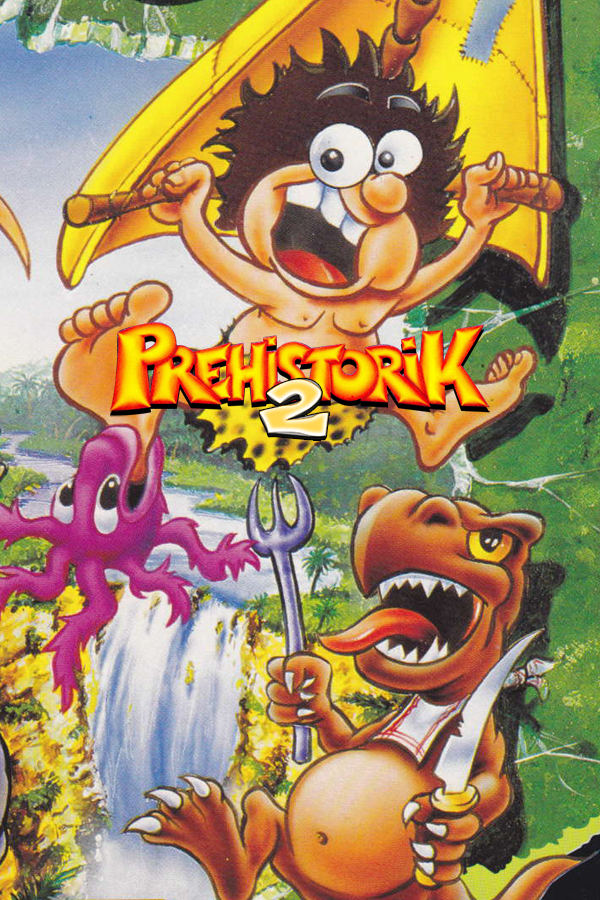
Prehistorik 2 (missingno7 pre2_port (dos_re))
Source On GitHubmissingno7/pre2_port- ReleasedJul 12, 2026
- Downloads335
- Versionv0.4.0Scanned Clean
- GitHub Stars29
How It Runs
- Plays Greatv0.4.0 · Nov 14, 2026
Played it? The app asks how a game ran when you close it, and your report shows here.
- Console
- IBM PC (MS-DOS)
- Project
- pre2_port
- Runs On
- Windows
- Version
- v0.4.0, Jul 12, 2026
- Completeness
- Playable Start To Finish - “`play_native.py` cold-boots the entire game from the boot constants + the GOG assets, with no emulator:”
- AI Use
- AI-Assistance Not Known
- What It Adds
- 60 FPS - “- Frame interpolation — the game's fixed ~23 Hz tick is presented at your monitor's refresh” · Widescreen - “- Widescreen — real extra tilemap columns fill a 16:9+ viewport (not a stretch): left / center / right”
How To Set Up
You Bring
- Prehistorik 2 data files - Every *.SQZ and *.TRK file from your own Prehistorik 2 game folder. The original PRE2.EXE is not needed to play.
The First Time It Starts
- Unzip the release into your own Prehistorik 2 game folder (the one containing SPRITES.SQZ).
- Double-click pre2native.exe.
Decomp Buddy does the downloading and unpacking for you. These notes are condensed from the project's own instructions, for Windows PC.
Made By
 missingno7
Safety Report
- Malware Scan
- Scanned with ClamAV 1.5.4 on Oct 19, 2026: no known malware in its download. Decomp Buddy only installs those exact files - if the project swaps one, it waits for a new scan.
- Uploaded By
- The project's owner
- License
- Not stated by the project
- Account
- On GitHub since April 2019
Install
Get Game
Nothing happened? You need Decomp Buddy first. It's free: Get Decomp Buddy, open it once, then press Install again.
Decomp Buddy never hosts or downloads the original game. It sets up pre2_port and tells you exactly which file of yours to drop in - then checks it's the right one. A ready-made plan is published for this one, so no AI key is needed. This is a community project: we check it, but we can't guarantee it.
Made this? Get a Listed On Decomp Buddy badge for your README.
More Like This
 Command & Conquer: Red AlertIBM PC (MS-DOS) · OpenRA · Linux · Windows · macOSPre-releaseMods
 Command & Conquer: Tiberian DawnIBM PC (MS-DOS) · OpenRA · Linux · Windows · macOSPre-releaseMods
 DoomIBM PC (MS-DOS) · gzdoom · macOS · Windows · Linux
 The Elder Scrolls II: DaggerfallIBM PC (MS-DOS) · Linux · macOS · WindowsWidescreenHDModsDoom (QuestZDoom)IBM PC (MS-DOS) · Meta QuestModsDoom (UZDoom)IBM PC (MS-DOS) · Linux · Windows · macOSPre-releaseHDMods