

Games · IBM PC (MS-DOS)
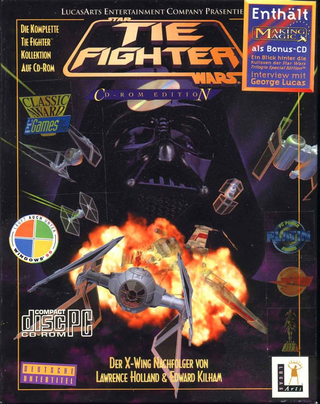
Star Wars: TIE Fighter (OpenTIE)
Source On GitHubelyosh/OpenTIE- ReleasedOct 4, 2026
- Downloads2.3K
- Versionv0.0.7Scanned Clean
- GitHub Stars370
How It Runs
Played it? The app asks how a game ran when you close it, and your report shows here.
- Console
- IBM PC (MS-DOS)
- Project
- OpenTIE
- Runs On
- Linux · macOS · Windows
- Version
- v0.0.7, Oct 4, 2026
- AI Use
- AI-Assistance Not Known
- What It Adds
- HD - “cockpit artwork with high-resolution rendering and substantially more advanced”
How To Set Up
You Bring
- Star Wars: TIE Fighter 1995 Collector's CD-ROM installation (TIE95) - A complete installation folder of the 1995 Collector's CD-ROM edition from your own copy. Needed unless you provide the 1998 edition.
- Star Wars: TIE Fighter 1998 Windows release installation (TIE98) - A complete installation folder of the 1998 Windows release (TIE Fighter Special Edition, sold on GOG and Steam) from your own copy. Needed unless you provide the 1995 edition.
- Roland SC-55 ROMs (optional) - Optional compatible SC-55 ROMs, only if you want Roland SC-55 Sound Canvas emulation for the music. Supplied by you.
The First Time It Starts
- Extract or install the package and launch OpenTIE.
- Select the complete TIE95 and/or TIE98 installation folders when prompted.
- If both editions are available, select the recommended configuration.
Decomp Buddy does the downloading and unpacking for you. These notes are condensed from the project's own instructions, for Windows PC.
Made By
 elyosh
Safety Report
- Malware Scan
- Scanned with ClamAV 1.5.4 on Oct 18, 2026: no known malware in its 3 downloads. Decomp Buddy only installs those exact files - if the project swaps one, it waits for a new scan.
- Uploaded By
- The project's owner
- License
- GNU General Public License v3.0
- Account
- On GitHub since May 2012
Install
Get Game
Nothing happened? You need Decomp Buddy first. It's free: Get Decomp Buddy, open it once, then press Install again.
Decomp Buddy never hosts or downloads the original game. It sets up OpenTIE and tells you exactly which file of yours to drop in - then checks it's the right one. A ready-made plan is published for this one, so no AI key is needed. This is a community project: we check it, but we can't guarantee it.
Made this? Get a Listed On Decomp Buddy badge for your README.
More Like This
 Command & Conquer: Red AlertIBM PC (MS-DOS) · OpenRA · Linux · Windows · macOSPre-releaseMods
 Command & Conquer: Tiberian DawnIBM PC (MS-DOS) · OpenRA · Linux · Windows · macOSPre-releaseMods
 DoomIBM PC (MS-DOS) · gzdoom · macOS · Windows · Linux
 The Elder Scrolls II: DaggerfallIBM PC (MS-DOS) · Linux · macOS · WindowsWidescreenHDModsDoom (QuestZDoom)IBM PC (MS-DOS) · Meta QuestModsDoom (UZDoom)IBM PC (MS-DOS) · Linux · Windows · macOSPre-releaseHDMods