

Games · Nintendo Switch
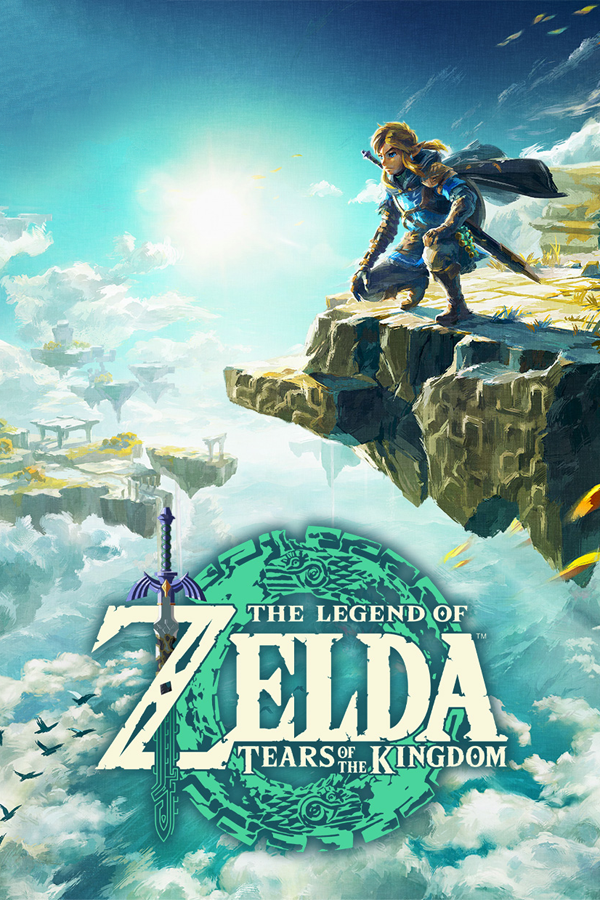
The Legend of Zelda: Tears of the Kingdom (Zonith)
- ReleasedNov 19, 2026
- Versionv0.5.1Scanned Clean
How It Runs
Played it? The app asks how a game ran when you close it, and your report shows here.
- Console
- Nintendo Switch
- Project
- Zonith
- Runs On
- Windows · Linux
- Version
- v0.5.1 - v0.5.0 is out; Decomp Buddy installs it once it has passed the malware scan
- Completeness
- Mostly Playable - “Early development. The game is playable on Windows and Linux; visual bugs and crashes are still expected.”
- Steam Deck
- Runs On Steam Deck - “On a Steam Deck, do this in Desktop Mode.”
- AI Use
- AI-Assisted
- What It Adds
- 60 FPS - “- 60 fps by default; up to 144 fps or the monitor's refresh rate (experimental).” · Widescreen - “- New aspect ratios: 16:10 (Steam Deck, handhelds), 3:2 (Surface, Framework), 21:9 and 32:9 (ultrawide)” · HD - “- Any resolution (1080p, 2K, 4K...), supersampling and AMD FSR 1 upscaling.” · Mods - “- Mods made for emulators work: unpack a mod into the mods folder next to totk.exe”
How To Set Up
You Bring
- Tears of the Kingdom base game - Your own dump of the base game from your own Switch. NSP and XCI files work as they are, and so do compressed NSZ and XCZ; the setup unpacks them itself.
- Tears of the Kingdom game update - The update file for version 1.1.0, 1.2.1 or 1.4.3, from your own console.
The First Time It Starts
- Unpack the zip and start TotK-Setup.exe (if SmartScreen warns about an unsigned app, choose More info, then Run anyway).
- Pick your game files, the language and an install folder, and press Start (the setup builds the game once).
- Play totk.exe from the install folder.
Decomp Buddy does the downloading and unpacking for you. These notes are condensed from the project's own instructions, for Windows PC.
Its project says AI tools helped with its code. “Most of the code and documentation is written by AI coding agents under the maintainers' direction.”
Rather not see AI-assisted games? Tick Hide AI-Assisted on the game list.
Made By
valentderah
wdiasjunior
jshqntnr13
itaskaev2
ipavlin98
shenjackyuanjie
featureJosh
ProSep
Lucas-blip-png
claude
PashaKagan
waxyfeet
Safety Report
- Malware Scan
- Scanned with ClamAV 1.5.4 on Nov 20, 2026: no known malware in its 2 downloads. Decomp Buddy only installs those exact files - if the project swaps one, it waits for a new scan.
- Uploaded By
- The project's own automatic build on GitHub
- License
- MIT License
- Account
- On GitHub since November 2026
Install
Get Game
Nothing happened? You need Decomp Buddy first. It's free: Get Decomp Buddy, open it once, then press Install again.
Decomp Buddy never hosts or downloads the original game. It sets up Zonith and tells you exactly which file of yours to drop in - then checks it's the right one. A ready-made plan is published for this one, so no AI key is needed. This is a community project: we check it, but we can't guarantee it.
Made this? Get a Listed On Decomp Buddy badge for your README.
More Like This
 Diablo II: Resurrected (D2R Mobile)Nintendo Switch · AndroidPlayable Start To FinishThe Legend of Zelda: Tears of the Kingdom (TotK Recomp)Nintendo Switch · WindowsPartly Playable60 FPSWidescreenHD
 Pokémon: Let's Go, Eevee!Nintendo Switch · WindowsPlayable Start To Finish60 FPSHDMods
 Pokémon: Let's Go, Pikachu!Nintendo Switch · WindowsPlayable Start To Finish60 FPSHDMods
 The Legend of Zelda: Breath of the WildNintendo Switch · BOTWRecompAndroid · AndroidPartly PlayablePre-release60 FPSWidescreenHDThe Legend of Zelda: Tears of the Kingdom (Weeping of the Empire)Nintendo Switch · Windows60 FPSWidescreenHD